03.31.2026

Register Now

Blog

Center Stage

Get fresh ideas, actionable insights and expert guidance for your B2B events and webinars.

Explore Articles

Virtual Events

10 Best Virtual Event Platforms for Large-Scale Attendee Experiences

12
Mins Read
Piyush Garg

Top 10 virtual event platforms for large-scale B2B programs in 2026, compared on production studio depth, CRM sync, branding control, and the analytics that connect events to pipeline.

Your marketing team ran 14 virtual events last quarter using three different tools. Each had its own registration page, its own email workflow, its own analytics dashboard. The quarterly review meeting turned into a debate about which numbers to trust. Nobody could answer the simplest question: which program drove the most pipeline.

A truly capable virtual event platform should handle registration, branded landing pages, in-session production, attendee engagement, speaker coordination, and CRM sync that connects it all to revenue. When those functions are spread across separate tools, the data fragments. Attribution gaps widen. And every new event requires rebuilding integrations that should have carried over from the last one.

Platforms built for large-scale attendee experiences consolidate production, engagement, and data into a single system. Below, we evaluate 10 options across those capabilities, with emphasis on where they differ for B2B teams running recurring programs.

Quick comparison: Best virtual event platforms for large-scale attendee experiences

Tool Best for Starting price G2 rating
Zuddl Teams whose virtual event and webinar programs have outgrown point solutions and need branded production, bi-directional CRM sync, and consolidated analytics without adding separate tools for other event types From $10,000/yr 4.8/5
Goldcast Marketing teams producing polished, content-forward virtual events where post-event repurposing drives demand gen Custom pricing 4.7/5
Bizzabo Enterprise organizations managing complex event portfolios that span virtual, hybrid, and in-person formats under one system From $17,999/yr 4.3/5
ON24 Demand gen teams running structured, high-volume webinar programs with compliance or certification requirements Custom pricing 4.3/5
Webex Events Organizations already in the Cisco ecosystem that need enterprise-grade security and compliance for virtual and hybrid events Custom pricing 4.6/5
vFairs Teams hosting virtual expos, job fairs, or trade shows that benefit from immersive 3D environments and exhibitor booth workflows Custom pricing 4.7/5
Airmeet B2B teams prioritizing attendee networking and community-building alongside webinar and virtual conference delivery From $2,000 (webinars only) 4.6/5
RingCentral Events Companies with existing RingCentral infrastructure looking for a virtual event layer with built-in community features From $1,200 (webinars only) 4.5/5
Zoom Events Teams needing a familiar, low-friction option for straightforward webinars and internal-facing virtual events at scale Custom pricing 4.5/5
Hubilo (now VirtualPRO) Event marketers running sponsorship-heavy virtual programs that require dedicated exhibitor and sponsor engagement tools From $15,000/yr 4.6/5

The 10 best virtual event platforms for large-scale attendee experiences

Zuddl

Zuddl is a unified event and webinar platform built for B2B marketing teams managing conferences, field events, and virtual programs from a single system. Its core strength in the virtual event category is combining broadcast-quality production with real-time, bi-directional CRM integration.

What it does well

• The built-in production studio supports pre-defined scene flows, branded overlays, lower thirds, and live speaker transitions without requiring external production tools or app downloads for organizers or attendees.

• Bi-directional integration with Salesforce, HubSpot, and Marketo syncs registration statuses, engagement data, and attendee behavior to CRM in real time, with field mapping for statuses like invited, registered, attended, and no-show.

• Embeddable, SDK-based registration widgets preserve UTM tracking and GA4 attribution, keeping attendee journeys on your owned web properties instead of redirecting to third-party landing pages.

• An AI-powered content hub auto-generates highlight reels, social clips, and blog drafts from session recordings within an hour of event completion, without manual editing.

• One-click event cloning duplicates entire virtual event setups, including integrations, branded assets, registration forms, and communication workflows, reducing repeated setup time for recurring programs.

Where it has gaps

• The breadth of configuration options creates a learning curve for first-time users, though all plans include 30-day onboarding and first-event support to accelerate setup.

Pricing: From $10,000/year

G2: 4.8/5  |  Capterra: 4.5/5

Best for: B2B marketing teams running multi-format event programs (virtual, hybrid, in-person) that need production control, real-time CRM sync, and consolidated analytics across all event types without stitching together separate tools.

Take control of your virtual event production, CRM integration, and attendee engagement with Zuddl. See how it works.

Goldcast

Goldcast is a virtual event platform built for B2B demand generation teams. Its primary strength is pairing branded production quality with granular attendee engagement data that flows into CRM and marketing automation platforms.

What it does well

• Branded virtual stages, live video Q&A, and interactive overlays create a polished attendee experience that G2 reviewers consistently describe as visually differentiated from standard webinar tools.

• Post-event content repurposing through its Content Lab feature generates clips, blog posts, and social assets from recordings.

• CRM integrations with Salesforce, HubSpot, and Marketo push engagement-level data (poll responses, CTA clicks, session duration) for lead scoring.

• Supports multi-session virtual summits and multi-day conferences with session tracks, sponsor hubs, and networking spaces.

Where it has gaps

• Goldcast was acquired by Cvent in December 2025. Product direction and integration roadmap post-acquisition remain to be confirmed, which may affect long-term planning for new buyers.

• The platform is primarily virtual-first. Teams running in-person or complex hybrid programs requiring onsite logistics (badge printing, check-in, lead capture hardware) need additional tools.

• Some G2 reviewers report that Marketo integration can be inconsistent with custom variable mapping and rate-limit handling.

Pricing: Custom pricing, requires sales conversation

G2: 4.7/5  |  Capterra: 4.6/5

Best for: B2B demand gen teams focused on producing branded virtual events with strong content repurposing workflows and CRM-connected engagement data, primarily for webinar-series and virtual summit formats.

Bizzabo

Bizzabo positions itself as an event experience operating system for enterprise B2B teams. Its virtual event capabilities sit within a broader platform that also covers in-person conferences and hybrid formats.

What it does well

• Unified event data across virtual, hybrid, and in-person formats provides consolidated reporting for teams managing complex portfolios.

• Real-time analytics dashboards and post-event engagement reports are among the more detailed in this category, per G2 reviewer feedback.

• Networking and attendee matchmaking tools support structured connection-building during virtual conferences.

• The platform supports scalable registration with multi-track session management for large virtual conferences.

Where it has gaps

• Landing pages rely on iframe-based architecture, which can block script tracking for GA4 and Bizible, creating attribution gaps for marketing ops teams.

• Customization options for event branding are more limited than platforms with full CSS/HTML access. Custom fonts and advanced design changes are constrained.

• Promo code and ticketing workflows have been flagged by reviewers for unexpected behavior, including auto-selecting incorrect ticket types when discount codes are applied.

Pricing: From $17,999/yr

G2: 4.3/5 |  Capterra: 4.4/5

Best for: Enterprise B2B organizations managing a portfolio of event formats (virtual, hybrid, in-person) that need unified data and reporting across the entire program, with attendee networking as a priority.

ON24

ON24 is an enterprise webinar and virtual engagement platform with deep roots in structured, analytics-heavy programs. It is one of the more established options for marketing teams running formal webinar series at scale.

What it does well

• Engagement analytics are among the most granular in this category, tracking poll responses, resource downloads, Q&A activity, and attention time at the individual attendee level.

• On-demand content hubs allow gated access to recorded sessions, supporting long-tail lead generation beyond the live event date.

• Compliance and certification workflows support continuing education use cases common in financial services and life sciences.

Where it has gaps

• ON24 is in the process of being acquired by Cvent. Post-acquisition product direction, pricing, and integration strategy may shift, which is a consideration for teams evaluating long-term commitments.

• The platform is primarily webinar-focused. Teams needing broader event management (in-person logistics, hybrid production, field event support) will require additional tools.

• CRM sync can experience delays, and some reviewers note that real-time data availability does not match what newer platforms offer.

Pricing: Custom pricing, requires sales conversation

G2: 4.3/5 |  Capterra: 4.3/5

Best for: Enterprise demand generation teams running high-volume, analytics-heavy webinar programs, particularly in regulated industries where compliance tracking and continuing education workflows are required.

Webex Events

Webex Events (formerly Socio) is Cisco's virtual and hybrid event platform, combining enterprise-grade security with event management capabilities. It is a common choice for organizations with existing Cisco infrastructure.

What it does well

• Enterprise security posture backed by Cisco's compliance certifications (SOC 2, ISO 27001, FedRAMP) satisfies IT and procurement requirements at large organizations.

• Multi-track session management, networking features, and gamification tools support complex virtual conferences.

• The mobile event app integrates with the virtual platform for a consistent attendee experience across devices.

Where it has gaps

• Marketing-specific workflows, including advanced CRM integrations and marketing automation connections outside the Cisco ecosystem, are more limited compared to platforms built specifically for B2B demand generation.

• Branding flexibility and advanced design customization options fall short for teams that prioritize pixel-level control over the attendee-facing experience.

Pricing: Custom pricing, requires sales conversation

G2: 4.6/5  |  Capterra: 4.8/5

Best for: Security-conscious enterprise organizations already operating within the Cisco ecosystem that need a compliant virtual event platform with strong mobile app support for large-scale conferences.

vFairs

vFairs is a virtual event platform known for immersive 3D environments that simulate in-person expo halls, trade shows, and career fairs. It serves both B2B and association markets across virtual and hybrid formats.

What it does well

• 3D virtual lobbies, auditoriums, and exhibit halls create a visual experience that differentiates from flat, browser-based event platforms. Reviewers on G2 consistently cite the immersive design as a standout feature.

• Exhibitor and sponsor booth management tools allow self-serve content uploads, lead capture, and attendee engagement tracking within individual booths.

• Support quality is among the highest-rated in this category, with dedicated event managers assigned to guide setup and live-day execution.

Where it has gaps

• The 3D environment comes with a steeper learning curve for both organizers and attendees. Initial setup requires more configuration than template-based platforms.

• CRM integrations and enterprise marketing automation connections are less developed than platforms purpose-built for B2B pipeline workflows.

• Pricing transparency is limited. Some reviewers note that custom design elements and specific features carry additional costs beyond the base package.

Pricing: Custom pricing, requires sales conversation

G2: 4.7/5  |  Capterra: 4.8/5

Best for: Organizations hosting virtual expos, trade shows, or career fairs that benefit from immersive 3D environments and structured exhibitor-attendee interaction, particularly in association and education markets.

Airmeet

Airmeet is a virtual events and webinar platform with a strong emphasis on attendee networking. Its virtual table and lounge features replicate informal conference interactions that most virtual platforms struggle to deliver.

What it does well

• Virtual networking tables allow attendees to move between group conversations freely, replicating the spontaneous interaction of in-person events. G2 reviewers frequently cite this as a primary differentiator.

• Branding customization spans the full attendee journey, from registration pages and email invites to virtual stages and networking lounges.

• The platform supports webinars, virtual conferences, and hybrid events within a single product, with engagement features like polls, Q&A, emoji reactions, and leaderboard gamification.

Where it has gaps

• Mobile experience for organizers and hosts could be improved, based on consistent G2 reviewer feedback.

• Enterprise CRM integrations, particularly with Salesforce for bi-directional sync and granular field mapping, are less mature than platforms that position CRM connectivity as a core differentiator.

Pricing: From $2,000 (webinars only)

G2: 4.6/5  |  Capterra: 4.4/5

Best for: B2B event teams running virtual conferences where attendee networking and community engagement are as important as content delivery, particularly for recurring community-building programs.

RingCentral Events

RingCentral Events (built on the former Hopin platform) is a virtual event solution within the broader RingCentral communications suite. It supports webinars, virtual conferences, and community events.

What it does well

• Built-in community hub features allow ongoing attendee engagement between events, supporting series-based programs and recurring audience interaction.

• The platform handles large audience capacities and supports multi-session formats with expo areas, networking spaces, and breakout rooms.

• For organizations already using RingCentral for communications, the unified billing and account management simplifies procurement.

Where it has gaps

• The platform's direction post-Hopin acquisition is still stabilizing. Some G2 reviewers note that the transition has introduced UI inconsistencies and feature changes.

• Real-time analytics and marketing-specific conversion features are less developed than dedicated B2B virtual event platforms.

• Backend configuration can feel complex for smaller teams or straightforward events.

Pricing: From $1,200 (webinars only)

G2: 4.5/5  |  Capterra: 4.5/5

Best for: Organizations with existing RingCentral communications infrastructure looking for a virtual event platform that supports community-driven engagement and recurring event series.

Zoom Events

Zoom Events extends the familiar Zoom Meetings experience into a structured virtual event platform with registration, ticketing, event hubs, and multi-session management. Its primary advantage is the near-zero learning curve for attendees.

What it does well

• Attendee familiarity with the Zoom interface reduces onboarding friction and no-show rates for teams whose audiences already use Zoom regularly.

• Event hubs centralize session management, registration pages, and on-demand content for multi-session virtual conferences.

• Stable, well-tested streaming infrastructure supports large attendee counts with consistent audio and video quality.

Where it has gaps

• Branding and customization options are notably limited. The virtual experience still closely resembles a Zoom meeting, which can reduce perceived brand differentiation for external-facing B2B events.

• Native engagement tools beyond chat and Q&A are minimal. Teams requiring live polls, gamification, or in-session CTAs typically need supplementary tools.

• Marketing automation integrations and CRM attribution capabilities are shallow compared to platforms built specifically for B2B demand generation workflows.

Pricing: Zoom Events add-on pricing requires a sales conversation

G2: 4.4/5  |  Capterra: 4.7/5

Best for: B2B teams that prioritize attendee convenience and low-friction access over advanced branding or CRM integration, particularly for internal events, training sessions, or straightforward webinar broadcasts at scale.

Hubilo (now VirtualPRO)

Hubilo (now VirtualPRO) is a virtual event platform designed for event marketers running programs where sponsor and exhibitor engagement is central to the event model. It supports webinars, virtual conferences, and hybrid events.

What it does well

• Sponsor and exhibitor tools include branded virtual booths, lead capture, resource distribution, and analytics dashboards, making it one of the stronger options for sponsorship-funded event programs.

• Interactive features like live chat, Q&A, polls, and emoji reactions support real-time audience engagement across session types.

• Integrations with CRM and marketing automation tools including HubSpot, Salesforce, Mailchimp, and Typeform push event data into existing workflows.

Where it has gaps

• Virtual event capabilities are gated behind the enterprise pricing tier. Lower-tier plans focus on webinar-only functionality, limiting flexibility for teams that need virtual conference features without enterprise budgets.

• Customization depth for branding, registration pages, and attendee-facing elements is less extensive than platforms that offer full CSS/HTML access.

Pricing: From $15,000/yr

G2: 4.6/5  |  Capterra: 4.6/5

Best for: Event marketers running sponsorship-funded virtual programs that require dedicated exhibitor management tools, branded sponsor booths, and self-serve analytics for sponsors.

What to look for in virtual event platforms for large-scale attendee experiences

These are the dimensions where virtual event platforms differ most for B2B teams. Weigh them based on which failure mode would hurt your program first.

Registration and landing page control

The platform should support branded, conversion-optimized registration pages without external web dev or iframe limitations. Losing UTM tracking at registration breaks attribution from the start.

Production studio depth

Pre-built scene flows, branded overlays, speaker transitions, and backstage controls separate professional virtual events from screen-share presentations. Without these, production quality drops.

In-session engagement tools

Look for native polls, Q&A, live CTAs, downloadable resources, and emoji reactions. If attendees are passive viewers, engagement data for sales follow-up does not exist.

Attendee networking capabilities

Structured networking (1:1 matching, virtual tables, breakout rooms) separates event platforms from broadcast tools. Without it, virtual audiences disengage faster.

CRM integration depth

Bi-directional sync with Salesforce, HubSpot, or Marketo should push granular engagement data, not just registration records. Delayed sync creates follow-up latency.

Content repurposing workflow

Automatic generation of on-demand recordings, clips, and derivative content assets matters. Manual post-production delays reduce the content lifecycle of every session.

Branding and design flexibility

Full CSS/HTML access, custom fonts, and embeddable widgets keep the event experience consistent with your web presence. Locked templates limit brand differentiation.

Analytics and revenue attribution

Session-level engagement data, pipeline dashboards, and exportable reports determine whether the event team can prove ROI to leadership. Basic attendance counts are insufficient.

Scalability across formats

If you run webinars today and plan conferences or hybrid events later, evaluate whether the platform supports those formats natively or requires a separate tool purchase.

{{demo-widget-dark}}

Questions people ask about virtual event platforms

What is a good virtual event platform for B2B marketing teams?

Zuddl, Goldcast, Bizzabo, and ON24 are commonly evaluated by B2B marketing teams. The right choice depends on whether the priority is production quality, CRM integration depth, content repurposing, or multi-format event support. Teams running conferences alongside webinars benefit from a unified platform.

What should a virtual event platform integrate with?

At minimum, CRM (Salesforce, HubSpot), marketing automation (Marketo, Eloqua, Pardot), and communication tools (Slack). Bi-directional data sync with real-time engagement signals is what separates pipeline-impacting integrations from basic data exports.

What is the difference between a virtual event platform and a webinar tool?

Webinar tools focus on one-to-many broadcast sessions. Virtual event platforms add multi-session agendas, networking environments, sponsor areas, attendee segmentation, and deeper CRM attribution. If events need to produce pipeline data, a webinar tool alone is typically insufficient.

How do you evaluate virtual event platforms for large-scale attendee experiences?

Start with CRM integration depth and production quality. Then evaluate registration flexibility, engagement tools, and post-event analytics. Test with a live pilot before committing. The failure modes that matter most are data sync delays and branding limitations.

Event Marketing

8 Best Mobile Event Apps for B2B Conferences and Summits

11
Mins Read
Piyush Garg

Top 8 mobile event apps in 2026, compared on the aspects that shape B2B conference outcomes: branding control, CRM integration, engagement tools, and post-event reporting. Pick the one that fits how your team actually runs events.

The keynote is running 5 minutes late, a breakout session has just moved to a different room, and 800 attendees are checking printed schedules finalized 2 days ago. The event coordinator is fielding texts from three sales reps who need to know which prospects checked in.

A mobile event app at a B2B conference does more than display a schedule. It feeds session attendance into CRM records, routes push notifications to the right audience segments, gives sponsors visibility metrics, and captures networking data that sales teams depend on for post-event outreach.

The gap between an agenda viewer and an operational layer is where most mobile event apps diverge. To help B2B conference teams identify which platform closes that gap, the following tools are evaluated on branding depth, in-app engagement, CRM sync, onsite integration, and post-event reporting.

Quick comparison: Best mobile event apps for B2B conferences and summits

Tool Best for Starting price G2 rating
Zuddl Teams running multi-format programs who need one branded app tied to registration, check-in, and CRM data in real time From $10,000/yr 4.8/5
Whova Organizations running high-volume conferences where attendee networking adoption matters more than deep brand customization Custom pricing 4.8/5
Cvent Enterprises with existing Cvent contracts who need the app to work within a broader event management ecosystem Custom pricing 4.3/5
Bizzabo Mid-to-enterprise marketing teams running branded user conferences with wearable-tech-driven engagement data From $17,999/yr 4.5/5
Swapcard Trade show and expo organizers where exhibitor lead capture and AI-matched meetings drive the business case From $560/yr 4.6/5
EventMobi Conference planners at associations and mid-market companies who need a branded app set up quickly without developer support From $3,000/event 4.6/5
Webex Events Enterprises already in the Cisco ecosystem who want a conference app tied to their existing collaboration stack Custom pricing 4.7/5
Stova Global enterprises managing multi-region conference programs that require venue sourcing and attendee apps under one vendor Custom pricing 4.2/5

The 8 best mobile event apps for B2B conferences and summits

Zuddl

Zuddl is a unified event platform purpose-built for B2B conferences, field events, and webinars. Its attendee mobile app connects directly to the platform's registration, check-in, lead capture, and CRM integration layers.

What it does well

  • Granular app branding with control over custom fonts, colors, icons, section layouts, and borders, making the conference app a visual extension of the organizer's brand.
  • Session-level access control restricts content by ticket type or attendee role, so VIP tracks, workshops, and partner sessions stay segmented within the same app.
  • Integrated gamification spans digital and physical touchpoints, including scavenger hunts, photo challenges, and leaderboards tied to session attendance and sponsor booth visits.
  • Audience-specific push notifications segmented by registration type, ticket tier, or custom attendee group, with the ability to trigger real-time alerts via Slack.
  • Interactive venue maps, personalized session scheduling with reminders, and an attendee web portal for those who prefer not to download the app.

Where it has gaps

  • The breadth of features across the unified platform can create a learning curve during initial setup, though all plans include 30-day onboarding and first-event support.

Pricing: From $10,000/year

Ratings: G2: 4.8/5 | Capterra: 4.5/5

Best for: B2B marketing teams and conference organizers who need full design control over the mobile app, real-time CRM data flow, and session-level personalization, managed from the same platform that handles registration, on-site check-in, and post-event analytics.

Whova

Whova is a conference-focused event management platform whose mobile app has been its defining product since launch. It serves associations, universities, and mid-market B2B organizations running events with 500 to 10,000 attendees.

What it does well

  • Attendee-driven networking through community boards, matchmaking, and in-app messaging that starts before the event and continues after it ends.
  • Personalized agenda builder with session favoriting, reminders, and filters by track, speaker, or time slot.
  • Built-in lead generation tools for exhibitors, including digital booth profiles and in-app lead scanning.
  • Gamification with leaderboards, scavenger hunts, and icebreaker activities configurable per event.

Where it has gaps

  • Branding customization is limited to colors and logos; no support for custom fonts, branded icons, or fully white-labeled app experiences.
  • Notification volume can overwhelm attendees, with limited granularity for segment-specific targeting based on ticket type or session access.
  • CRM integrations are basic compared to platforms with native bi-directional sync to Salesforce or HubSpot.

Pricing: Custom pricing based on event size

Ratings: G2: 4.8/5 | Capterra: 4.8/5

Best for: Associations and mid-market B2B teams hosting annual conferences where attendee networking and community engagement are the primary success metrics, and deep brand customization is secondary to adoption speed.

Cvent (Attendee Hub)

Cvent Attendee Hub is the mobile app layer within Cvent's enterprise event management platform. It is built for large-scale conferences where the app must integrate with Cvent's registration, venue, and analytics infrastructure.

What it does well

  • Deep integration with Cvent's full event lifecycle, from registration through session tracking to post-event reporting, within one vendor ecosystem.
  • Multi-track agenda management with session capacity controls, waitlists, and attendee schedule builders suited for complex, multi-day conferences.
  • Gamification features including points, badges, and challenges tied to session attendance and sponsor booth visits.

Where it has gaps

  • App interface uses a dated design with limited control over fonts, layout, and visual branding beyond logo and color changes.
  • Setup complexity is high. Reviewers consistently note the platform requires months of training and sometimes external consulting support.
  • Real-time CRM integrations can experience delays, and some connections require third-party middleware to function reliably.

Pricing: Custom pricing, requires sales conversation

Ratings: G2: 4.4/5 | Capterra: 4.5/5

Best for: Enterprise organizations with an existing Cvent contract managing 10+ annual conferences where the mobile app needs to pull from a centralized registration and session database across the portfolio.

Bizzabo

Bizzabo positions itself as an event experience platform for B2B marketing teams. Its mobile app is part of a broader suite covering registration, marketing, and on-site engagement for branded conferences.

What it does well

  • Klik wearable technology integration enables tap-based contact exchange, session check-ins, and real-time engagement data capture that feeds directly into platform analytics.
  • Event website and mobile app share a unified content backend, so session updates, speaker changes, and sponsor details sync across both channels automatically.
  • AI-powered matchmaking connects attendees based on profile data and interests, with in-app meeting scheduling.

Where it has gaps

  • Mobile app customization is restricted beyond basic branding; reviewers note limited flexibility for layout changes or custom page designs.
  • Landing page architecture relies on iframes, which can create tracking gaps for teams using GA4 or marketing attribution tools.
  • Sponsor portal functionality requires manual HTML setup for complex sponsorship tiers, adding time to event configuration.

Pricing: Custom pricing, requires sales conversation

Ratings: G2: 4.3/5 | Capterra: 4.4/5

Best for: B2B marketing teams running branded user conferences where wearable-based engagement tracking and unified content management between the website and app are priorities.

Swapcard

Swapcard is an AI-powered event platform built around attendee networking and exhibitor lead generation. Its mobile app is among the strongest options for trade shows and large B2B conferences where matchmaking drives ROI.

What it does well

  • AI-driven attendee recommendations surface relevant people, sessions, and exhibitors based on profile data, resulting in higher meeting acceptance rates according to the vendor.
  • Exhibitor lead capture tools include customizable digital booths, in-app lead scanning, and qualification forms that feed directly into exhibitor CRM systems.
  • Supports 30+ native integrations including Salesforce, Zapier, and marketing automation platforms for post-event data routing.

Where it has gaps

  • Pricing combines annual license fees with per-attendee and per-exhibitor rates, which can increase costs significantly at scale.
  • Design customization for the app interface is constrained by a fixed three-column layout, limiting visual real estate for session content.
  • Customer support responsiveness has drawn mixed reviews, with some users reporting slower response times during live events.

Pricing: Custom, user-based pricing

Ratings: G2: 4.6/5 | Capterra: 4.5/5

Best for: Trade show organizers and conference teams where exhibitor ROI depends on AI-matched meetings and qualified lead capture through the mobile app.

EventMobi

EventMobi is a mobile event app platform built for mid-market conferences, association events, and corporate meetings. It emphasizes ease of setup and visual customization for branded attendee experiences.

What it does well

  • Customizable app interface with a drag-and-drop layout builder, branded color schemes, and support for multiple event-specific app instances under one account.
  • Interactive session engagement tools including live polls, anonymous Q&A with upvote functionality, and post-session surveys that feed into event reports.
  • Multi-event management allows attendees to access past, current, and upcoming events from a single app download.

Where it has gaps

  • No white-label option. EventMobi branding remains visible in the app, which may not suit teams requiring full brand control.
  • CRM integrations are less comprehensive than enterprise-focused platforms, with some users reporting sync limitations with Salesforce and Marketo.

Pricing: From $3,500/event

Ratings: G2: 4.6/5 | Capterra: 4.7/5

Best for: Association conference planners and mid-market B2B teams who need a branded, easy-to-configure mobile app with engagement tools and prefer per-event or annual pricing over custom enterprise quotes.

Webex Events

Webex Events (formerly Socio) is Cisco's event platform offering mobile apps for in-person, hybrid, and virtual conferences. It fits enterprise organizations already embedded in the Cisco collaboration ecosystem.

What it does well

  • Native integration with the broader Webex Suite means video conferencing, hybrid streaming, and in-app attendee engagement work from one platform without third-party connectors.
  • Attendee networking tools include one-to-one meeting scheduling, attendee profiles, and permission-based connections with messaging.
  • Session-level analytics capture attendance, engagement time, and interaction data for post-event reporting tied to the broader Webex ecosystem.

Where it has gaps

  • Platform is in transition following Cisco's acquisition, and some reviewers report documentation gaps and inconsistent feature availability across plan tiers.
  • Customization options for the mobile app interface are moderate. Deep brand personalization requires enterprise-tier plans.
  • Notification reliability has been flagged in some reviews, with alerts not consistently reaching all registered attendees.

Pricing: Custom pricing, requires sales conversation

Ratings: G2: 4.6/5 | Capterra: 4.4/5

Best for: Large enterprises already using Cisco Webex for internal collaboration who want their conference app on the same infrastructure without introducing a separate vendor.

Stova

Stova (formed from the merger of Aventri, MeetingPlay, and Eventcore) offers event management software with a mobile attendee app for conferences, trade shows, and corporate events at enterprise scale.

What it does well

  • Full event lifecycle coverage including registration, venue sourcing across 350,000+ properties, session management, and mobile app under one vendor.
  • Flexible check-in and badging workflows integrated with the mobile app, supporting self-service kiosks and QR-based entry for high-volume conferences.
  • Multi-region event program support with localization capabilities and role-based access for distributed planning teams.

Where it has gaps

  • App interface design is dated compared to newer platforms. Reviewers consistently note a less modern visual experience.
  • Steep learning curve, especially for teams without prior enterprise event software experience.
  • Limited real-time CRM sync capabilities, with some integrations requiring manual data exports.

Pricing: Custom pricing, requires sales conversation

Ratings: G2: 4.2/5 | Capterra: 4.3/5

Best for: Global enterprises managing a portfolio of regional conferences that need venue sourcing, registration, and an attendee app consolidated under one vendor with multi-region support.

What to look for in mobile event apps for B2B conferences and summits

These are the dimensions where mobile event app platforms differ most for B2B teams. Weigh them based on which failure mode would hurt your program first.

App branding depth

Check whether you can customize fonts, icons, layouts, and section ordering. If the app looks generic, attendees associate that with the event, not the platform.

Agenda personalization

Confirm attendees can build personal schedules filtered by track, role, or interest. Static agendas lose value at multi-track conferences.

Push notification targeting

Verify notifications can be segmented by ticket type, session access, or attendee group. Untargeted alerts drive opt-outs.

Networking and matchmaking

Evaluate whether the app surfaces relevant connections based on profile data. Passive attendee directories produce low engagement.

In-app engagement tools

Look for live polls, Q&A, and gamification that capture interaction data, not just participation counts.

Onsite integration

Confirm the app connects to check-in, badge scanning, and session tracking. A disconnected app creates duplicate data entry.

CRM and marketing sync

Verify real-time, bi-directional sync with your CRM. Delayed sync means sales teams miss follow-up windows.

Post-event analytics

Check whether session attendance, engagement scores, and networking activity export cleanly to your reporting tools.

{{demo-widget-dark-app}}

Questions people ask about mobile event apps

Q: What is the best mobile event app for B2B conferences?

It depends on event scale and integration needs. Zuddl fits teams that need deep app branding and real-time CRM sync. Whova is strong for organizations prioritizing attendee networking. Cvent suits enterprises with existing Cvent infrastructure.

Q: What should a mobile event app integrate with?

At minimum, a B2B conference app should sync with Salesforce, HubSpot, or Marketo for attendee data and engagement scoring. Slack integration for real-time alerts and calendar sync for session reminders add operational value.

Q: How is a mobile event app different from an event management platform?

An event management platform handles planning, registration, and logistics. A mobile event app is the attendee-facing layer for schedules, networking, and engagement. Some platforms, like Zuddl and Cvent, combine both.

Q: How do you evaluate a mobile event app for a B2B conference?

Start with branding control and CRM integration, since those affect both attendee experience and post-event sales follow-up. Then assess networking tools, push notification targeting, and analytics depth.

Event Marketing

8 Best Event Registration Software Platforms for B2B Marketing Teams

11
Mins Read
Piyush Garg

Top 8 event registration platforms for B2B teams in 2026, compared on registration flow logic, CRM integration depth, ticketing flexibility, and branding control. Choose the right platform for your event scale and tech stack.

Your event ended Friday. By Monday, the sales team wants the attendee list, and it is sitting in a CSV that does not match your Salesforce fields. Registration data that should have triggered follow-up sequences is instead waiting on someone to clean it, map it, and upload it manually.

For B2B event teams, registration is where ticketing logic, attendee segmentation, approval workflows, branded communications, and CRM sync all originate. A mishandled registration setup does not just slow down sign-ups.

It determines whether leads reach sales with context or without it, whether VIPs get routed correctly or dropped into a general queue, and whether post-event attribution connects to pipeline or dies in a spreadsheet.

The difference between those outcomes usually comes down to what the registration tool was built to handle. This article evaluates 8 event registration platforms across the dimensions that separate tools built for B2B marketing teams from those built for general ticketing: registration flow logic, CRM sync depth, branding control, approval workflows, and post-event attribution.

Quick comparison: Best event registration software platforms for B2B marketing teams

Tool Best for Starting price G2 rating
Zuddl Teams replacing 5-6 registration, webinar, and field event tools with one system, without web dev or agency dependencies From $10,000/yr 4.8/5
Cvent Enterprise teams where venue sourcing, hotel blocks, and multi-session registration must live in one procurement-approved platform Custom pricing 4.3/5
Bizzabo Conference teams that need registration, mobile app, and SmartBadge check-in without internal dev resources for setup or integration From $17,999/yr 4.3/5
Swoogo Mid-market teams running 20+ events per year who need fast, self-built registration sites without per-registration fees From $11,800/yr 4.9/5
Accelevents Mid-market B2B teams that need branded registration with conditional logic, onsite badge printing, and native CRM sync at a lower price point than enterprise platforms From $7,500 4.7/5
RainFocus Large enterprises managing 50+ annual events that need registration, budget tracking, and exhibitor management centralized in one dashboard Custom pricing 4.5/5
Stova Corporate event teams mid-migration from legacy Aventri or MeetingPlay contracts that need continuity across in-person and virtual formats Custom pricing 4.2/5
Swapcard Trade show and expo organizers where pre-event networking and AI-driven meeting scheduling are the primary registration outcome Custom pricing 4.3/5

The 8 best event registration software platforms for B2B marketing teams

Zuddl

Zuddl is a unified event management platform built for B2B marketing teams that run conferences, field events, and webinars from a single system. Its registration module is designed around operational speed and full branding control.

What it does well

  • Visual flow builder with conditional branching that routes speakers, VIPs, partners, and general attendees through different registration paths and ticket options without requiring separate forms.
  • SDK-based embeddable registration widgets that preserve GA4, Bizible, and UTM tracking on the organizer’s own domain, avoiding the attribution gaps caused by iframe-based alternatives.
  • Approval flows with Salesforce-enriched registrant data and Slack push notifications, including bulk pre-approval via CSV upload for curated invite lists.
  • Tiered ticketing with discount stacking, bundle offers (BOGO, percentage-based), session-level add-ons, and promo code management with cap and expiry controls.
  • Bi-directional CRM sync with Salesforce, HubSpot, Marketo, and Eloqua that passes granular registrant statuses (invited, registered, abandoned, pending approval) in real time.

Where it has gaps

  • Initial platform setup involves a learning curve for teams unfamiliar with multi-module event platforms, though all plans include 30-day onboarding and first-event support.

Pricing: From $10,000/year

Ratings: G2: 4.8/5 | Capterra: 4.5/5

Best for: B2B marketing teams replacing a fragmented stack of 5-6 registration, webinar, and field event tools with one unified system that restores execution ownership to the event team without web dev or agency dependencies.

Take control of your registration flows, ticketing, and approval workflows with Zuddl. See how it works.

Cvent

Cvent is an enterprise event management platform with one of the broadest feature sets in the category. Its registration capabilities serve large-scale conferences, trade shows, and corporate summits with complex logistical requirements.

What it does well

  • Registration forms support conditional logic, custom fields, and personalized attendee pathways for multi-track conferences with session selection during signup.
  • CventIQ adds AI-generated content for event pages, email campaigns, and speaker bios to accelerate registration site builds.
  • Native onsite check-in, badge printing, and attendee tracking connected directly to registration data without third-party plugins.
  • Venue sourcing, hotel management, and room block booking integrated into the same platform as registration, reducing tool sprawl for large events.

Where it has gaps

  • Steep learning curve consistently cited in G2 and Capterra reviews; new team members may need months of practice before operating independently.
  • Registration page customization restricted compared to design-forward competitors; brand-specific layouts often require custom coding.
  • No discount stacking or bundle ticketing options within standard registration flows; each ticket variation requires separate configuration.
  • Per-integration API fees reported by buyers as an additional cost on top of platform licensing.

Pricing: Custom pricing, requires sales conversation

Ratings: G2: 4.3/5 | Capterra: 4.5/5

Best for: Enterprise event teams managing flagship conferences where venue sourcing, multi-session registration, hotel blocks, and compliance requirements must live in one procurement-approved platform.

Bizzabo

Bizzabo positions itself as an Event Experience OS for B2B conferences and enterprise event programs. It combines registration, marketing, and analytics with optional Klik SmartBadge wearables for real-time engagement tracking.

What it does well

  • Registration data flows natively into HubSpot and Salesforce, supporting post-event marketing automation and lead scoring without manual CSV exports.
  • Klik SmartBadge wearables enable touchless check-in and real-time session engagement tracking tied directly to each registrant’s profile.
  • Dynamic registration flows with custom forms, automated email sequences, and a branded mobile app that syncs with event website updates.
  • Event cloning with reusable templates that carry over registration flows, ticket configurations, and branding across multi-event programs without rebuilding each time.

Where it has gaps

  • Landing pages rely on iframe architecture, which can restrict script tracking for GA4 and Bizible and create attribution gaps for marketing ops teams.
  • No multi-path branching within a single registration flow; complex attendee segmentation requires building multiple separate registration paths.
  • No native approval workflow for invite-only events; gated registration requires manual processing or external tooling.

Pricing: From $17,999/year

Ratings: G2: 4.3/5 | Capterra: 4.4/5

Best for: Conference teams that need registration, branded mobile app, and SmartBadge check-in without internal dev resources for setup or integration.

Swoogo

Swoogo is a mid-market event management platform focused on registration and event website building. It is known for an intuitive drag-and-drop interface and a pricing model that includes unlimited registrations.

What it does well

  • Registration forms with unlimited conditional logic and 15+ question formats, allowing different attendee types to see different fields without building separate forms.
  • Event website and registration page builder with drag-and-drop customization and per-event theming that does not require agency or developer involvement.
  • Annual licensing model covers unlimited registrations and events, removing per-registration cost uncertainty for teams running high-volume programs.

Where it has gaps

  • No native mobile attendee app; onsite functionality and attendee engagement rely on third-party integrations.
  • No undo capability on event website edits; published changes are permanent, requiring careful version management.
  • Per-user seat-based pricing constrains cross-functional team access, with users reporting frequent seat swaps between team members.
  • Registration flow builder limited to single-path conditional logic; multi-path branching within one form is not supported.

Pricing: From approximately $11,800/year

Ratings: G2: 4.9/5 | Capterra: 4.7/5

Best for: Mid-market event teams running 20+ events per year that need fast, self-service registration site builds with unlimited event volume, without enterprise complexity or per-registration fees.

Accelevents

Accelevents is a mid-market event management platform with registration, ticketing, and onsite check-in as primary features. It serves B2B conferences, trade shows, and field marketing events with native Salesforce and HubSpot integrations.

What it does well

  • Customizable registration forms with conditional logic that segments attendee data by type, with embeddable widgets that can be placed on the organizer’s own website.
  • Native integrations with Salesforce, HubSpot, and Marketo for real-time registration data sync into existing CRM and marketing automation workflows.
  • Full event cloning that duplicates registration flows, ticket configurations, and landing page designs for repeatable multi-event programs.

Where it has gaps

  • Dashboard analytics reported as inconsistent by some reviewers; generating specific registration reports may require manual data exports and spreadsheet work.
  • Badge printing quality degrades on PC (Windows) compared to Mac; a known platform issue that requires workarounds for onsite teams using Windows devices.
  • Frequent platform updates can change UI and workflows without sufficient advance notice, creating a re-learning burden for teams running recurring events.

Pricing: From $7,000

Ratings: G2: 4.7/5 | Capterra: 4.7/5

Best for: Mid-market B2B event teams that need branded registration with conditional logic, native CRM sync, and integrated onsite check-in and badge printing at a lower price point than enterprise platforms like Cvent or Bizzabo.

RainFocus

RainFocus is an enterprise event management platform built for organizations running large-scale annual conferences and multi-event programs. Its registration module integrates directly with exhibitor management, content scheduling, and budget tracking.

What it does well

  • Centralized dashboard consolidating registration, exhibitor activation, content management, and budget tracking for complex enterprise event portfolios.
  • AI-driven personalized agenda recommendations based on attendee registration data and behavioral patterns from prior events.
  • Native budget management and ROI measurement integrated into the registration workflow, a capability few competitors include out of the box.

Where it has gaps

  • Customer support quality cited as inconsistent in some reviews, with users noting tutorial-heavy responses rather than direct resolution.
  • Pricing not publicly available; enterprise-level sales engagement and implementation cycles can extend timelines for evaluation.
  • Platform complexity may exceed requirements for teams managing fewer than 20 events per year or those without dedicated event technology staff.

Pricing: Custom pricing, requires sales conversation

Ratings: G2: 4.6/5 | Capterra: 4/5

Best for: Large enterprises managing 50+ annual events across multiple formats that need centralized budget tracking, exhibitor management, and AI-based attendee personalization tied to the registration workflow.

Stova

Stova is a full lifecycle event management platform formed from the merger of Aventri, MeetingPlay, and Eventcore. It covers in-person, virtual, and hybrid events with registration, onsite, and analytics modules.

What it does well

  • Full event lifecycle coverage consolidating registration, onsite check-in, virtual event hosting, and analytics from three merged platforms into one.
  • HubSpot and Marketo integrations for syncing registration data into existing marketing automation workflows.
  • Flexible hybrid event capabilities that bridge in-person and virtual attendee registration under a single event instance.

Where it has gaps

  • Interface described as dated in recent reviews, with manual duplicate work required when configuring registration across event modules.
  • Post-merger product integration still in progress; feature parity between legacy platform components is not fully resolved.
  • Badge printing reliability inconsistent in some deployments, occasionally requiring pre-printed badges as a fallback.

Pricing: Custom pricing, requires sales conversation

Ratings: G2: 4.2/5 | Capterra: 4.3/5

Best for: Corporate event teams mid-migration from legacy Aventri or MeetingPlay contracts that need continuity across in-person, virtual, and hybrid formats with HubSpot or Marketo integration.

Swapcard

Swapcard is an event management platform with AI-powered attendee matchmaking at its core. It is widely used for B2B trade shows, expos, and congresses where networking outcomes are a primary registration goal.

What it does well

  • AI matchmaking engine that uses registration data to recommend networking connections and schedule 1:1 meetings before and during the event.
  • Self-service event setup with a free tier supporting up to 250 participants, making it accessible for smaller B2B events and pilots.
  • Exhibitor and sponsor tools including lead capture, virtual showrooms, and ROI reporting tied to attendee registration profiles.

Where it has gaps

  • Registration page customization more limited than enterprise-focused platforms; complex conditional branching is not natively supported.
  • Stronger in trade show networking than conference-style multi-track registration with session-level ticketing.
  • Native CRM integrations less comprehensive than platforms offering bi-directional Salesforce sync with granular status fields.

Pricing: Custom, user-based pricing

Ratings: G2: 4.6/5 | Capterra: 4.2/5

Best for: Trade show and expo organizers where pre-event networking and AI-driven meeting scheduling are the primary value of the registration process, not multi-track session management.

What to look for in event registration software for B2B marketing teams

These are the dimensions where event registration software platforms differ most for B2B teams. Weigh them based on which failure mode would hurt your program first.

Registration flow builder and conditional logic

Look for visual, no-code branching that routes different attendee types through distinct forms and ticket paths. Without it, complex events force separate registration pages or manual workarounds.

Branding and white-label control

Every registration touchpoint (forms, emails, landing pages, badges) should match your corporate identity. Platforms limited to template colors force brand compromise at the first attendee interaction.

Ticketing flexibility

Multiple ticket tiers, bundle discounts, promo codes with caps, and session-level add-ons are table stakes for paid B2B conferences. Missing any one creates manual pricing workarounds.

Approval and access control workflows

Invite-only and VIP events need bulk pre-approval lists, manual review options, and domain restrictions. Without native approval flows, gatekeeping registration becomes a spreadsheet exercise.

CRM and marketing automation sync

Bi-directional, real-time sync with Salesforce, HubSpot, or Marketo is critical. One-way or batch-only sync delays follow-up and breaks attribution models.

Embeddable widgets and tracking architecture

SDK-based or native embed options preserve UTM parameters and analytics scripts. Iframe-based registration pages break GA4 and Bizible tracking, creating data blind spots.

Onsite check-in and badge printing

Native check-in and badge printing connected to the same registration data eliminates the dual-system problem. If onsite requires a separate tool, data discrepancies multiply.

Post-event analytics and attribution

Registration data must connect to session attendance, engagement scores, and CRM opportunity records. Without closed-loop attribution, proving event ROI depends on manual spreadsheet joins.

{{demo-widget-dark-reg}}

Questions people ask about event registration software

What is the best event registration software for B2B marketing teams?

It depends on event format and scale. Teams running multi-format programs from one system may find Zuddl well suited. Cvent fits complex enterprise logistics. Bizzabo, Swoogo, and Accelevents serve mid-market conference teams with different strengths in CRM integration and pricing.

What should event registration software integrate with?

At minimum: a CRM (Salesforce or HubSpot), marketing automation (Marketo or Eloqua), Slack for real-time alerts, and analytics tools (GA4 or Bizible). Bi-directional sync matters more than the number of integrations listed.

What is the difference between event registration software and event management software?

Registration software handles attendee signup, ticketing, and payment. Event management software covers the full lifecycle: registration, onsite logistics, session management, analytics, and CRM sync. Most B2B teams need the broader category.

How do you evaluate event registration software for a B2B marketing team?

Start with what breaks first: CRM sync failures, branding restrictions, or missing approval workflows. Then test conditional registration flows, check embed architecture (SDK vs. iframe), and verify real-time data handoff to your existing stack.

Product

February Product Pulse: Automated On-Demand Experience and Coupon-Activated Bundle Discounts

Mins Read
Sharavanan

Explore Zuddl’s latest features—This month’s updates eliminate manual post-event work, give teams tighter controls over discounts and coupons, and make cross-team event management more scalable.

Automatically Turn Webinars Into On-Demand Experiences

Webinars don’t end when the live session stops, but post-webinar workflows often require manual effort across recordings, pages, and access controls.

The On-Demand experience for webinars is now fully automated.

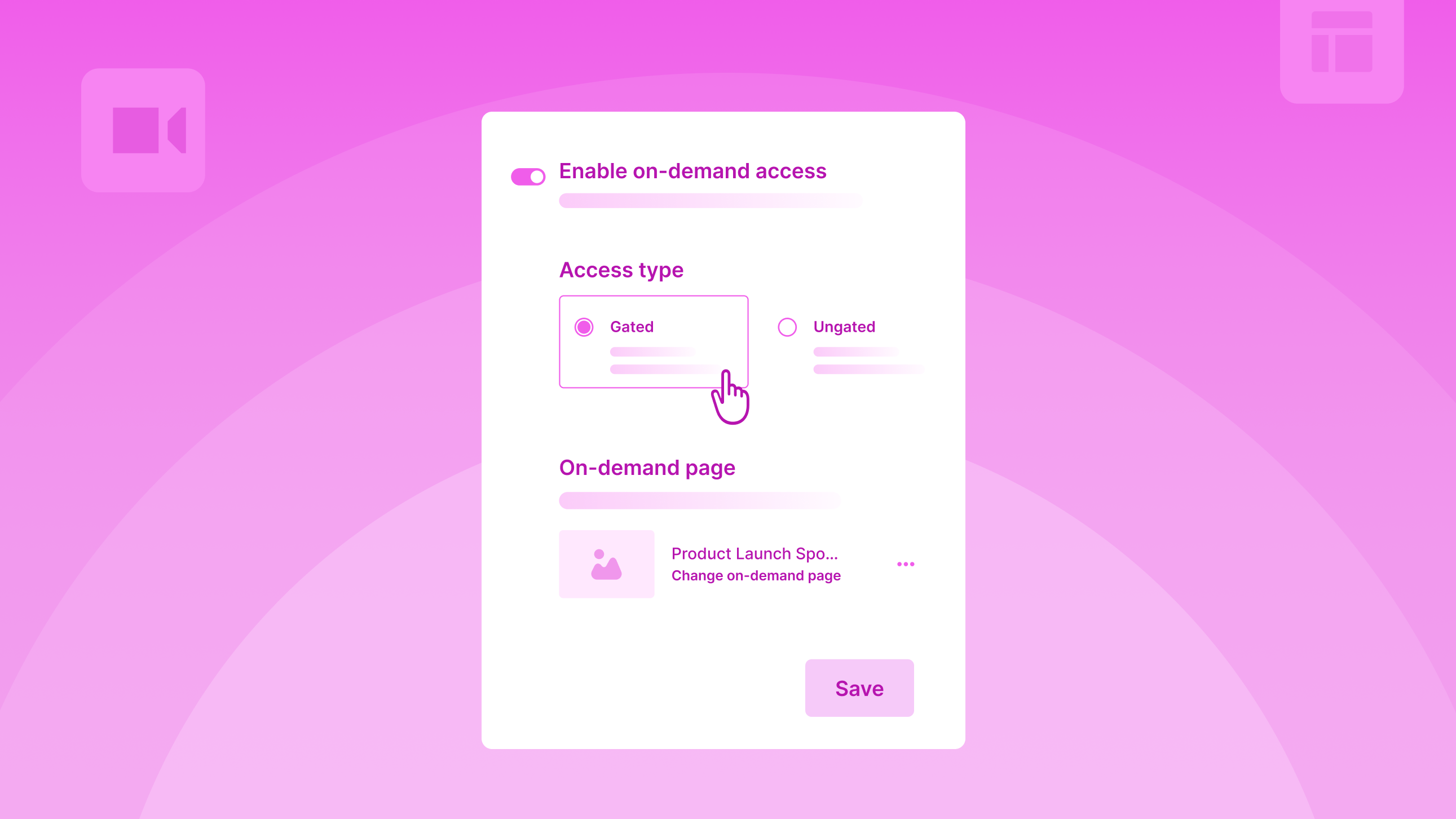
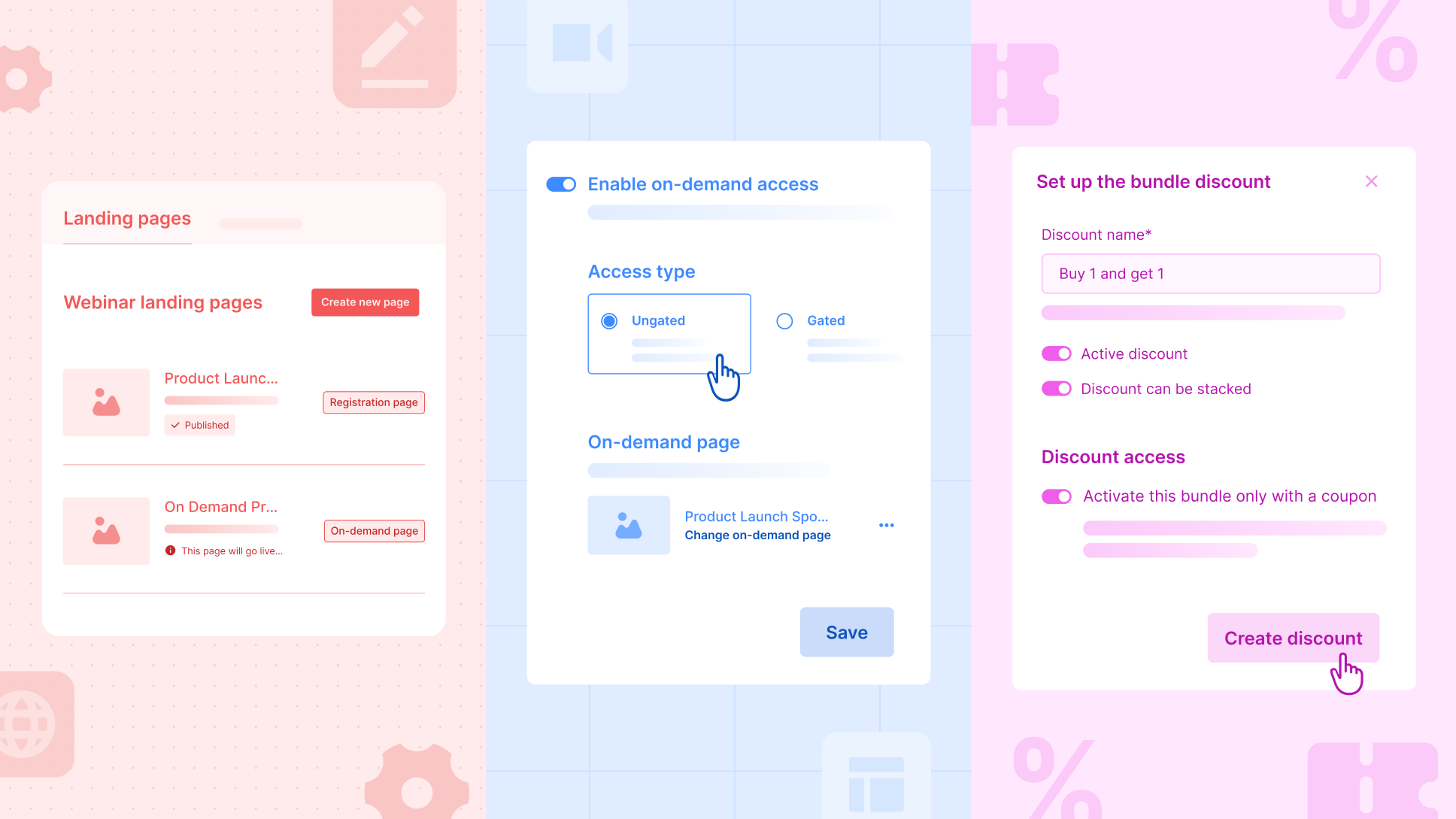
Organizers can set up their entire post-webinar VoD experience in advance, including the page, widgets, and access, and activate it with a single toggle. Once the webinar ends, Zuddl automatically unpublishes the registration page and publishes the on-demand page on the same URL, along with the recordings.

Here’s what’s new

  • The On-Demand feature for webinars now supports a fully automated post-webinar experience.
  • Organizers can create a dedicated on-demand page using pre-built templates, duplicating it, or building it from scratch, with the published recordings auto-populating on this page after the webinar ends.
  • A single On-Demand toggle controls the entire experience: Zuddl will automatically unpublish the registration page and publish the on-demand page at the same URL.
  • A new unified Landing Pages tab lets organizers manage registration and VoD pages in one place.
  • When webinars are duplicated, the on-demand page and widgets are carried forward to ensure repeatability.
  • Attendees return to the same webinar URL and instantly access the published recordings. Clear messages are shown if recordings aren’t yet published.

Why this matters

  • Eliminates manual post-webinar operational steps
  • Ensures a seamless live-to-on-demand transition
  • Makes repeatable webinar programs easier to scale

Run Controlled Bundle Discounts With Coupons

Organizers can create a bundle discount, but allow users to activate it only when a coupon is applied.

Here’s what’s new:

  • In bundle discounts, a new toggle, “Activate this bundle only with a coupon,” has been added.
  • In coupons, a new discount type, ‘bundle discount’, is added in addition to ‘percentage’ and ‘amount’ discounts.
  • When a coupon-activated bundle discount is enabled, the bundle will no longer auto-apply at checkout. Requires a coupon to activate it.

For example, an organizer may want to offer Sponsor A an exclusive Buy 1, Get 1 offer on Gold tickets, capped at 100 free tickets in total.

With coupon-activated bundle discounts, the organizer can create a B1G1 bundle, link it to a specific coupon, and set usage limits so that no more than 100 free tickets are redeemed, whether those are claimed in a single transaction or across multiple transactions.

This ensures the sponsor gets their agreed benefit, while the organizer maintains full control over discount exposure and limits.

Why this matters:

  • Prevents unintended auto-discounting
  • Enables controlled promotional campaigns
  • Adds flexibility to ticketing strategies

Improvements

Pending Registrations Page

The Pending Registrations page now highlights counts for Unassigned Tickets and Incomplete Registrations for quick visibility. With a new Status filter, organizers can send reminders to purchasers who haven’t assigned tickets and to attendees who’ve bought tickets but haven’t completed their registration.

Status Consistency

Registration and attendance statuses are now standardized across setup, reports, and integrations. Pre-registration and attendance statuses will appear consistently in relevant columns, filters, and tabs, improving reporting accuracy and integration reliability.

Agents Response Rating Feedback

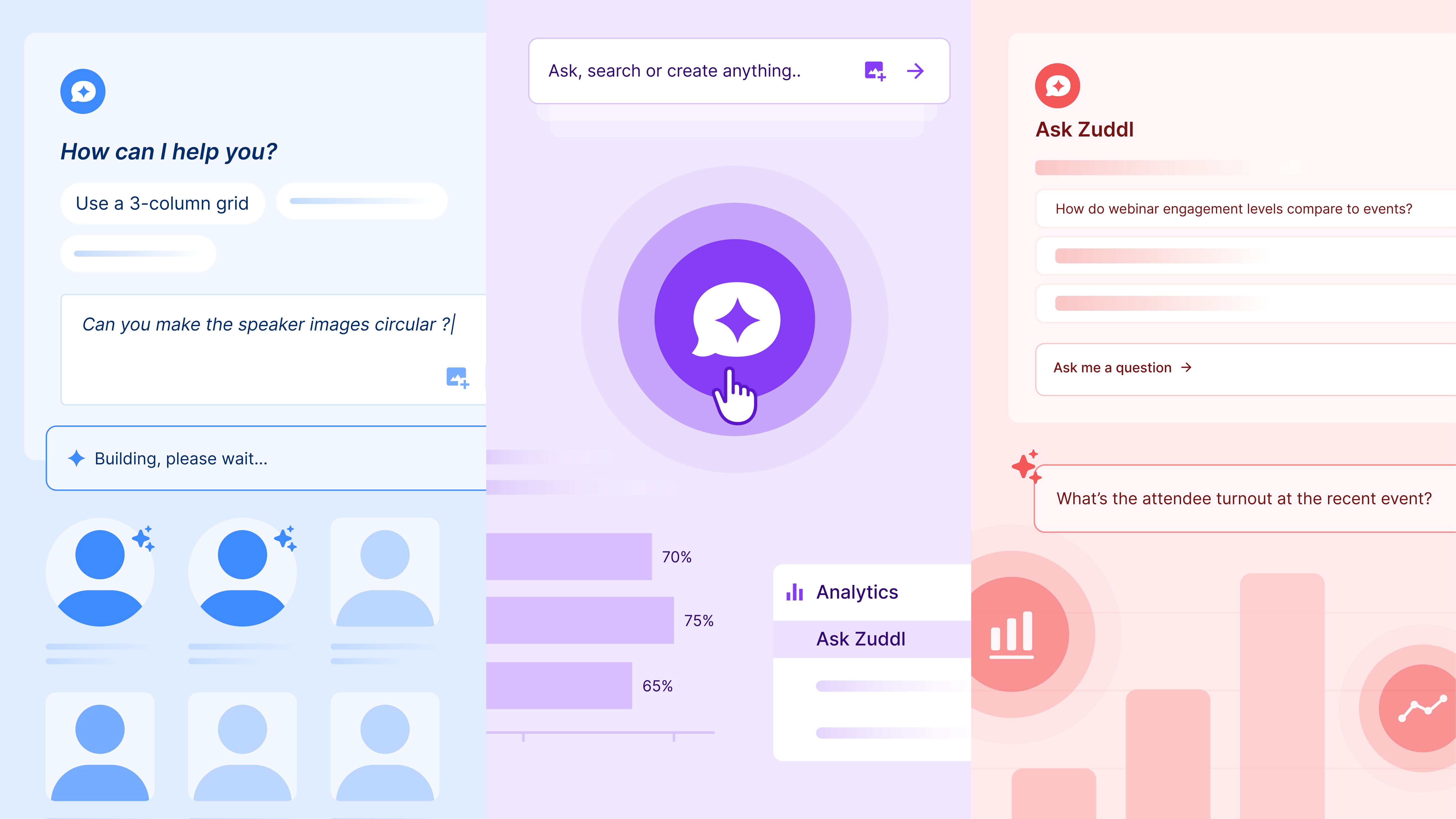
You can now rate AI Agent responses using thumbs up or thumbs down. Feedback helps improve accuracy and response quality over time.

Hub Enhancements

Hubs can now include events from multiple teams. While adding events, organizers see events only from selected teams, with improved filters (by status, team, and tags) to find them faster. Events added to or removed from a hub automatically sync across all hub widgets, no manual updates required.

Session Recordings for In-Person Events

Organizers can now upload and associate session recordings for in-person events, extending content access beyond the live experience.

Thank You Page Controls in Flow Builder

Organizers can choose to show/hide the contents of the Attendee Details section - registration details, show edit details link, and form summary.

New Field in Lead Capture Mapping

Two fields, ‘Lead added by name’ and ‘Lead added by email’, will now be available in lead capture field mappings in the integration setup. These two fields are also available in the lead object of the webhook’s payload/response.

Event Marketing

The Reason Your Event Brand Breaks at Scale and What To Do About It

7
Mins Read
Piyush Garg

Event brand drift isn’t a “brand guidelines” problem. It’s an operations problem across tools, vendors, and handoffs. See where your brand breaks across the event lifecycle and how to make “on brand” the default.

For marketing teams scaling event-driven growth, maintaining brand consistency is hard for a practical reason. Not because your brand guidelines or decisions aren't in place (your design team already knows what “on brand” looks like).

It's because event execution spans six or more tools, multiple vendors, and web dev ticket queues that don't move as fast as your event program demands.

[.ebook-q-card][.ebook-body-text] As per Forrester, nearly 28% of the largest organizations still deploy six or more event technology platforms, and only one in five has fully integrated their primary platform into their broader tech stack.[.ebook-body-text][.ebook-q-card]

With these many tools in the mix, brand consistency becomes the slow path. And when being on brand is the slow path, teams measured on pipeline do what makes sense. They ship fast. And their event brand takes a hit.

Or, the other option is to protect the brand by shipping slower. But that’s not a real option if you’re aiming for tens of events per quarter.

In this piece, we map how your brand breaks across the event lifecycle, why this gets worse at scale, why better guidelines do not solve the root cause, and what changes when operations stop forcing a tradeoff between speed and consistency.

How your brand actually breaks across the event lifecycle

Trace your attendee journey from registration to follow-up, and the brand fractures aren't where you'd expect. They're not in the hero image or the color palette.

They're in the seams. The points where one tool hands off to another, and the output no longer looks or feels like your company’s.

Here's what that looks like in practice.

Before the event

  • Your landing page lives in one system. Registration sits in another. Confirmation emails come from a third. That is three brand expressions before anyone shows up.
  • When the landing page needs an update, it often goes through a web dev ticket queue. Under tight deadlines, teams choose “on time” over “on brand.”
  • Confirmation emails default to platform styling. Your sender domain often doesn't match your company domain. Someone registers on your branded event page and gets a confirmation from noreply@eventplatform.com.

During the event

  • Badges come from a separate check-in system with its own font handling and layout constraints. Walk-ins get a default template that does not match what pre-registered attendees received.
  • Your mobile event app (if you have one) has a different UI than the desktop site. It feels like a different event entirely.
  • Your webinar studio defaults to generic overlays and platform-branded lower thirds. While your registration page promised a premium experience, the post-event page delivers a commodity one.

After the event

  • Follow-up emails come from a different sender domain, a different template, and a different visual system than the event itself.
  • On-demand content sits on a third-party player with its own UI. The replay does not match the event experience.
  • The survey goes through yet another tool. Your attendee’s last impression is a reminder that they've been moving between systems the entire time.

Every point where one tool hands off to another is a point where your event brand quietly stops being consistent.

[.ebook-q-card][.ebook-body-text]Brand inconsistency across touchpoints is not just a visual drift. It limits your revenue growth potential, too. A recent Forrester study revealed that providing a consistent, on-brand experience to customers can unlock up to 3.5X higher revenue growth.[.ebook-body-text][.ebook-q-card]

This gets worse as you scale your event program

At low volume, you can manually plug these gaps. It is painful, but possible. 

If you run four events a year, you can QA most touchpoints yourself. It costs you time, but it works.

The moment you scale to 10, 20, or 40 events across cities and formats, manual oversight becomes impossible.

Each format adds complexity and typically another tool. Webinars need a studio platform. Field events need a check-in app. Conferences need badge printing, session management, and a mobile app.

Each layer is another brand expression to govern, another set of defaults to override.

The more events you run, the more your operations need to keep up, so your brand stays consistent across the board. And the less time you have to make that happen manually. 

You can't slow down. There are quarterly targets across cities and launch windows that can’t wait long for a brand review. You can't hire a dedicated brand QA for every regional team. 

So the team does what any team measured against pipeline would do. They work around it fast. They choose “on time” over “on brand”. Not just for one event, but for most of them.

The control gap no brand guidelines can close

Brand guidelines are necessary, but not sufficient when platform constraints stand in the way.

If your landing page builder limits you to templates you can't fully customize, better guidelines won't close the gap. If your email platform forces its own header and footer, better guidelines won't override them.

Your team knows what the brand should look like. They can't execute it consistently because they're constrained by platform capabilities, vendor workflows, and what integrations preserve across systems.

[.ebook-q-card][.ebook-body-text]This is the core issue most event branding advice skips over. It treats the problem as a knowledge gap when it's actually a control gap.[.ebook-body-text][.ebook-q-card] 

You're not just renting tools. You're renting your brand's appearance at every touchpoint those tools control.

Make brand consistency a default, not an exception

Now let’s go back to the same journey from the first section, but with an operations layer built and integrated to keep up:

Before the event

  • Your team builds event landing pages directly, without web dev queues for standard or small updates. Full design control that matches your corporate brand guidelines.
  • Mobile doesn't feel like a desktop afterthought. The same build workflow handles device-specific customization by default.
  • Registration and confirmation emails are sent from your branded domain and live within the same visual system.
  • Need to launch the same event in a new city? Clone and adjust. Brand standards carry over. The 12th event looks as polished as the first.

During the event

  • Badges reflect your event brand because the system supports your fonts, layout, and colors. 
  • Walk-ins get the same badge quality as pre-registered attendees.
  • Your webinar studio carries your visual language through overlays, lower thirds, and scene layouts. The broadcast looks like your company, not the platform.

After the event

  • Follow-ups come from the same branded domain and visual system.
  • On-demand content lives in a branded library, not a third-party player with its own UI. 
  • Your attendee's last touchpoint matches their first.

With such a unified operations layer, “on brand” becomes the default output. It becomes the faster path, not the slower one.

As a result, your team doesn't have to slow down, hire more, or cut corners anymore. Brand consistency stops being something you painfully enforce and becomes something the system handles by default.

How Zuddl unifies event operations for a consistent brand experience

All of this isn't hypothetical. This is how hundreds of B2B teams using Zuddl operate every week.

From day one, Zuddl was built to unify event operations from pre-event to post-event. 

Landing pages, registration and ticketing, emails, badges, check-in, webinar studio, mobile app, on-demand content, and follow-ups all live in one system.

This gives your team consistent design control across touchpoints and eliminates handoffs that can break your event brand.

"We've streamlined our operations by dissolving multiple platforms thanks to Zuddl. Additionally, Zuddl has standardized our event landing pages, ensuring a seamless and familiar UX for our customers.” Read full review
“Zuddl allows us to have a professional-looking, branded registration and event environment when briefing media about new product launches, as well as reducing the time taken to administer the events.” Read full review
Read all reviews on G2.

You can also schedule a free demo with a Zuddl representative to see how we can help you design and run on-brand events, fast.

Product

January Product Pulse: Session Invites, BCC, Bulk Approvals & Custom Payments

4
Mins Read
Sharavanan

Explore Zuddl’s latest features—session-specific calendar invites, BCC email support, scalable CSV approvals, and custom payment gateways—designed to streamline event operations at scale.

This month’s updates focus on the moments that usually slow teams down - communications, calendars, approvals, and payments and make them work effortlessly at scale.

This Product Pulse walks through what’s new and why it matters for teams running high-volume, high-impact events.

Send Session-Level Calendar Invites for Attendees

A single calendar block for the entire event helps with planning, but once the event is underway, attendees need session-specific calendar invites to manage their time and priorities.

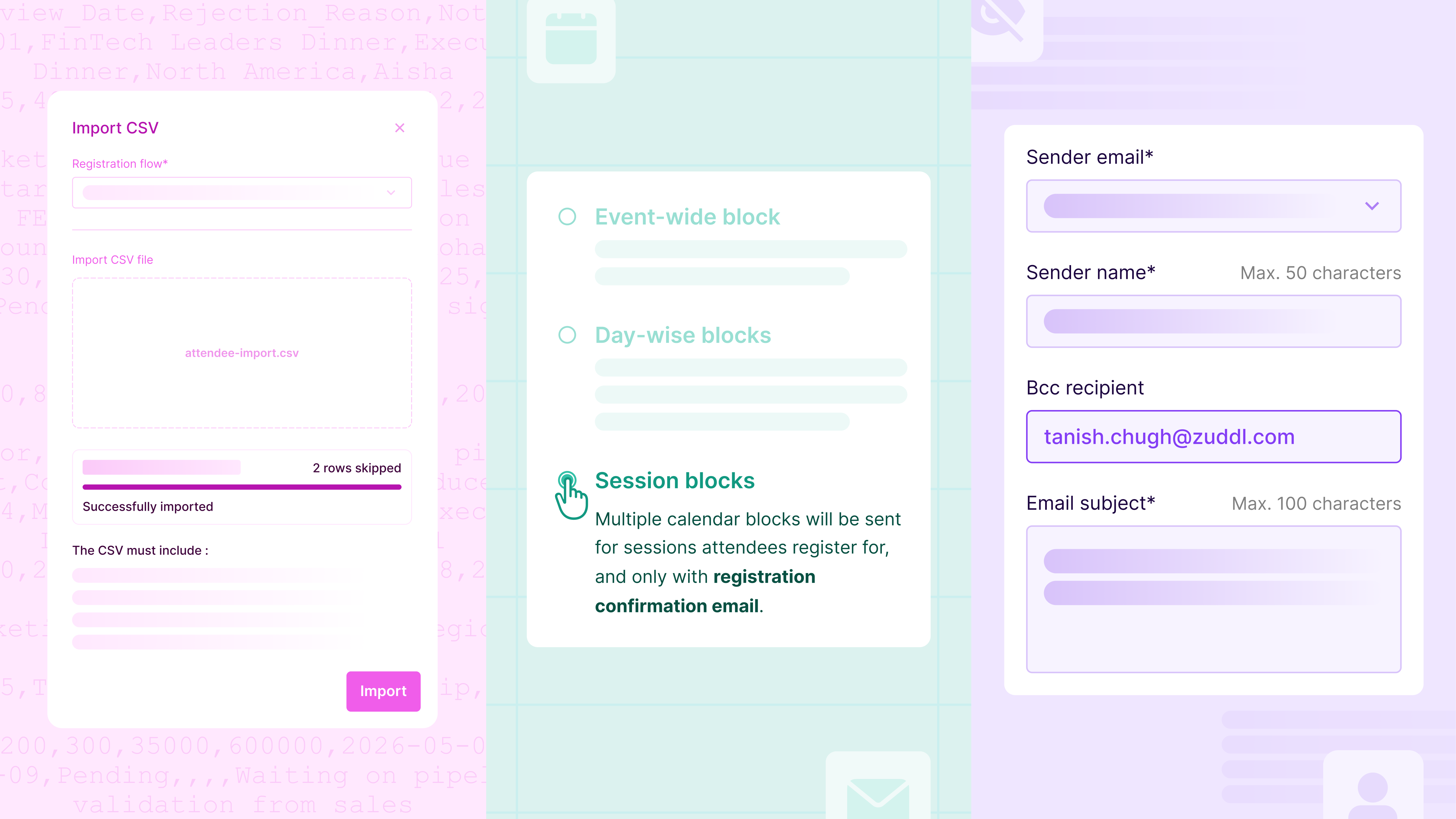
In addition to event-wide & day-wise blocks, a new session block configuration has been added to the calendar invites page. These invites are sent automatically immediately after session registration confirmation and remain in sync if updates/modifications occur later.

Organizers can also customize how each session appears in the calendar - title, description, timing, and location, ensuring invites are clear and actionable. To maintain consistency, session invites are delivered through a dedicated communication: “New sessions added to your agenda.”

Why this matters

  • Reduces calendar noise and attendee confusion
  • Keeps calendars up to date as registrations change
  • Improves session attendance and preparedness

Keep Internal Teams in the Loop with BCC for Event Emails

Event communications often need visibility beyond attendees. Sales, marketing, operations, or compliance teams may need access to outgoing emails, but forwarding messages or recreating sends creates unnecessary overhead and introduces opportunities for error.

With BCC support for standard and custom emails, organizers can now automatically include internal recipients on attendee communications. BCC recipients receive an exact copy of the email, remain completely hidden from attendees, and are configured directly at the email level.

This capability also supports enterprise requirements to retain or share communication records without affecting the attendee experience.

Why this matters

  • Gives teams instant visibility into attendee communications
  • Eliminates manual re-sending or forwarding
  • Meets enterprise audit and compliance needs

Approve or Reject Attendees at Scale with CSV Uploads

Approval-based events work well until request volume spikes. Manually approving attendees one by one quickly becomes a bottleneck for operations teams.

With bulk approval updates via CSV, organizers can now process approvals in one go. Pending requests can be downloaded as a CSV file. Process them in Excel or another spreadsheet, update them with approval decisions, and re-upload for immediate processing. For better visibility, all approval requests - Pending, Approved, and Rejected - can be downloaded in a single file.

Why this matters

  • Saves hours of manual approval work
  • Keeps workflows auditable and predictable

Use Your Preferred Payment Gateway Without Native Integrations

Payment requirements vary widely across regions and organizations. Although Zuddl supports native integrations with Stripe, Cybersource, and PayPal (OOTB), waiting for additional native integrations can delay launches or force teams into suboptimal payment setups.

With Custom Payment Gateways, organizers can connect their own external payment providers, such as Bluesnap, Klarna, Adyen, Braintree, Helcim, Payline, Razorpay, and Shift4, directly at the organization level. Once configured, these gateways behave like native options within events.

During checkout, purchasers are securely redirected to the organizer’s hosted payment page. Zuddl listens for real-time payment status updates and automatically guides buyers through confirmation or failure flows.

Why this matters

  • Enables region and org-specific payment flexibility
  • Removes dependency on platform integrations
  • Keeps checkout experiences seamless and secure

Improvements

Marketo Integration: Default Folder per Base Program

You can now define a default Marketo folder per base program. This ensures every new or duplicated event creates its Marketo program in the correct folder, without extra setup or cleanup at scale. Read more.

4×4 Badge Support in the Onsite App

Support for 4×4 badge printing using compatible Zebra printers is now available in the Onsite App. This gives organizers greater flexibility in badge layouts during on-site check-ins.

Enhanced Networking Preferences

Attendees can now specify what they’re offering and what they’re looking for directly in their networking profiles. These signals power more relevant networking recommendations and better matchmaking.

Product

Introducing Zuddl’s AI Agents - Own the experience, leave the operations to AI

3
Mins Read
Sharavanan

Introducing Zuddl AI Agents for modern event teams. Apply branding, analyze performance, and unlock revenue insights using natural language—no designers, analysts, or spreadsheets required.

Event automation has finally caught up with the way events actually work.

For the last decade, event technology has focused on better formats, better dashboards, better mobile experience - but the manual work hasn’t disappeared.

Teams still:

  • Style speaker widgets to match brand guidelines
  • Export CSVs and slice data just to answer simple questions

The tools got better, but the work didn’t get lighter.

“Event professionals spend nearly 40% of their time on administrative tasks, according to sentisight.ai on the AI for Event Marketers blog.”

And today, events aren’t just brand moments - they are revenue-generating engines.
Yet event marketing managers are stuck with repetitive, time-consuming tasks while they should be focused on pipeline, conversion, and audience impact.

Introducing Zuddl’s AI Agents

If the last generation of platforms put power in users’ hands, the next generation removes the need to perform the work manually.

Zuddl introduces two new AI Agents, each making life easier for event marketers at different points in the event journey - reducing operational load for event marketers, event ops, and marketing ops teams while unlocking faster execution.

Zuddl Sidekick

Apply your branding across event widgets and visual elements using natural language. Zuddl Sidekick generates production-ready CSS and handles image processing (background removal, resizing, centering) to keep every asset consistently on-brand without designer dependency or back-and-forth revisions.

Before: Working with designers for Figma updates or developers for CSS tweaks.
Now: Prompt your design changes and see them applied instantly.

Try prompts like:

  • “Make all speaker cards circular with a navy background and gold hover glow.”
  • “Remove backgrounds and resize images to 400×400.”
  • “Extract colors from this banner and apply them across widget headers.”
  • “Use minimalist grayscale headshots for a premium look.”
  • “Align images at the bottom and move text above.”

Design Assist turns branding into a fast, repeatable workflow so you can iterate, preview, undo, and perfect your event design in minutes, not days.

Ask Zuddl

Analyze event performance, engagement, and revenue through conversational prompts. Ask Zuddl delivers visually rich insights, comparisons, and recommendations without spreadsheets, dashboards to build, BI tools, or analyst dependency.

Ask Zuddl brings fragmented event data together and turns it into:

  • Explanations - “Why did attendance peak on day 2?”
  • Comparisons - “How did last quarter’s roadshows compare in lead quality?”
  • Forecasts - “Predict check-ins based on past hybrid events.”
  • Risk signals - “Mobile drop-off suggests landing page friction.”
  • Recommendations - “Add a follow-up session to meet APAC demand.”

Try prompts like:

  • “Which sessions should we repeat in EMEA?”
  • “When do enterprise prospects convert fastest?”
  • “Explain why APAC registrations dropped in Q2.”
  • “Compare partner-driven vs direct revenue across events.”

This isn’t reporting - it’s real-time, visual decision intelligence for event teams.

Enterprise Guardrails - AI That Knows Its Boundaries

These agents are not general-purpose chatbots. They are domain-governed systems engineered for operational safety.

  • Single confirmation before execution
  • Rejects out-of-domain requests
  • No access escalation
  • Revert changes with a simple undo prompt
  • Full auditability of changes

AI can automate. Governance ensures autonomy doesn’t become a risk.

Want to Learn More?

Chat with one of our product experts to get a detailed walkthrough of Zuddl’s new AI Agents and see how automation can transform event planning, operations, and revenue outcomes.

Product

December Product Pulse: Improve Registration Quality, Webinar Engagement and More

Mins Read
Sharavanan

Discover Zuddl’s December product updates—custom registration validations, interactive webinar apps, editable field slugs, and smarter calendar invites to improve data quality and engagement.

This December, we’re excited to roll out four powerful enhancements that bring you smarter validation, deeper engagement flexibility, cleaner calendar automation, and flexible field slugs - all designed to save your team time, reduce errors, and elevate the attendee experience.

In this Product Pulse, we break down what’s new, how it works, and why it matters for your events.

Apply Custom Validation Logic to Registration Forms

Getting high-quality registrations shouldn’t be a guessing game. Until now, organizers were limited to basic input checks during registration. With server-side form validations, you can now run custom logic and external checks on every form submission before a registration is accepted.

This ensures only clean, intentional, and policy-compliant data enters your event pipeline, while giving you full control over validation logic and attendee messaging.

What you can do with it

  • Validate email addresses using trusted third-party providers like ZeroBounce, Kickbox, or NeverBounce.
  • Block disposable, invalid, or risky domains, or apply validation rules to any field not just email.
  • Run custom scripts and API-based logic on form submission to enforce business-specific rules.
  • Show fully custom error messages, including multi-field validations and contextual nudges based on attendee input.

How it works

  1. Configure validations once at the organization level from General Settings → Form Validations.
  2. Apply them to any form within an event’s registration flow via the Validations tab.
  3. On submission, Zuddl securely executes your validation logic server-side.
  4. If a rule fails, attendees see clear, configurable errors and can correct inputs.
  5. If validation passes, the form submits, and the attendee proceeds to the next step.

Smart validations mean cleaner attendee data, fewer manual interventions, and confidence that your event pipeline is built on trustworthy inputs.

Note: This feature is rolling out behind a feature flag and is currently available for intenal orgs and Riskified orgs.

Add Interactive Custom Apps To Your Webinars

Webinars have become powerful tools for education, conversion, and community building, but limiting engagement to built-in tools can leave value on the table. With our new Custom Apps integration, you can embed iframes for surveys, calculators, external tools, and more directly into the webinar engagement panel.

What’s new

  • Add Custom Apps to your webinar layout like other engagement tools
  • Embed third-party experiences directly inside the webinar interface
  • Keep attendees immersed in your content without disruptive redirects

Every time an attendee leaves the webinar to complete an action - fill a survey, take a quiz, explore a tool - there’s a risk of drop-off. With embedded apps, you keep engagement centralized, seamless, and contextually relevant, boosting participation and conversion.

Update Event Details in Calendar Blocks

Calendar invitations are often the last touchpoint before an attendee shows up. If they’re unclear or generic, they can lead to confusion, missed sessions, or wasted support time. This update gives you complete control over how your event details appear in calendar invites.

What you can customize

  • Event name and event location for calendar blocks
  • Dynamically populated content using merge tags such as:
    • {{event_name}}, {{event_start_date}}, {{event_start_time}}, {{event_end_date}}, {{event_end_time}}, {{event_venue}}, {{event_location_url}}, {{event_url}}

Smart behavior by event type

  • In-person / Hybrid: Calendar invites will show the official venue location
  • Virtual: Invites automatically include the event link with a secure magic token

Notes for users

  • Changes to calendar invites may not appear in existing email templates if the “Add to Calendar” links were previously customized.
  • To apply these updates, modified templates will need the Add to Calendar links re-added manually.

Clean, accurate calendar blocks reduce confusion and support requests, and help attendees show up prepared - whether in person or online.

Set Custom Field Slugs That Stay Consistent Across Events

Changing form field labels is common. Breaking integrations because of it shouldn’t be.

With Editable Field Slugs, organizers now have control over Field IDs - without risking downstream systems like CRMs, reports, or automations.

What’s new

  • Organizers can edit a field’s Field ID (slug) until the registration flow is published
  • Once published, Field IDs are locked to ensure integrations and mappings remain stable
  • Field IDs must be unique across the entire event, even across different flows
  • Clear validation and error states flag duplicate slugs or character limits (up to 100 characters)

What stays protected

  • Mandatory system fields (First Name, Last Name, Email) continue to use fixed, non-editable Field IDs

You get flexibility during setup without risking broken Salesforce mappings, reporting errors, or integration failures after launch.

As always, these improvements are part of our ongoing commitment to make event management more intelligent, dependable, and effortless - for every type of event. If you’re curious to see these in action or have questions about adoption, our product team is happy to help!

Product

November Product Pulse ft. Coupons, Integration Logs, and Shareable Reports

Mins Read
Sharavanan

From integration logs and shareable reports to smarter coupon controls, our November product updates bring us closer to a more connected, intelligent, and effortless B2B event tech experience.

We bring a fresh set of upgrades designed to simplify how you run events. Real-time reporting, smarter discounts, and transparent integration logs all work together to make your workflows faster and your data more dependable.

As Zuddl continues to expand the unified event management platform, these improvements help you stay in control, eliminate manual cleanup, and keep every event experience sharp and secure.

Share Real-Time Password-Protected Event Registration List

Event performance shouldn’t be locked behind platform access - and now, it isn’t.

With Zuddl’s Shareable Attendee Report, you can securely share real-time attendee data with anyone who needs visibility, even if they don’t have a Zuddl login. Unlike static exports, these reports stay live and continuously update as registrations, attendance, and attendee actions roll in.

And with the latest enhancements, organizers can now customize reports by selecting or deselecting columns, tailoring what each viewer sees. When multiple custom fields share the same label, their slugs are displayed alongside the field name for easy identification - ensuring clarity and accuracy in every shared view.

You can effortlessly generate a public report link + passcode, share it with unlimited viewers, and update the passcode anytime to revoke or refresh access. Every shared session stays active for 24 hours, with shorter expiry options currently in work for teams needing tighter controls.

This makes it easier than ever to keep internal teams, partners, speakers, and leadership aligned - securely, instantly, and without generating endless CSVs.

Track and Troubleshoot With Integration Logs

Managing integrations across Salesforce, HubSpot, Marketo, and other systems shouldn’t be guesswork. With Zuddl’s Integration Logs, you now get end-to-end visibility into every sync happening between Zuddl and your tech stack.

Track all events, registrations, attendance records, and engagement activities as they sync. Filter by event, date, or action type to quickly identify issues. And if something fails, you get direct access to the exact API response - no need to dig into multiple tools.

Need to retry a specific sync? You can do that right from the logs (with built-in guardrails to prevent accidental updates).

Whether you’re validating CRM data, troubleshooting mismatches, or ensuring your event data pipeline stays intact, Integration Logs give you transparency and control like never before.

Gain Granular Ticket-Level Coupon Control

Event organizers often want a coupon to be redeemed by the first x number of tickets, not just the first x number of transactions. Previously, limits in Zuddl were tied to transactions - so, coupon usage in an order with one ticket and an order with five tickets both counted as a single use. This meant organizers could not directly cap the number of discounted tickets they wanted to offer.

With the new update, coupon limits can now be based on tickets instead of transactions. Each ticket redeemed with the coupon can be counted individually toward the limit.

What this means for you:

  • Want the first 50 attendees to get a discount? Now you can guarantee it.
  • If someone buys multiple tickets, each one counts toward the limit.
  • Once the total number of discounted tickets is reached, the coupon expires.
  • You can also set a cap on the maximum number of tickets allowed per transaction.

A real-world example:

If your coupon limit is 50 tickets, and someone buys 5 tickets in a single order, all five count. Once the cumulative total hits 50 tickets, the coupon stops applying.

We’ve also enhanced the coupon table to show exactly how many tickets (or transactions, depending on your chosen setting) have been redeemed - making campaign monitoring far clearer.

Points to note:

  • If a coupon applies to add-ons, ticket-based limits won’t be available (since add-ons aren’t tickets).
  • If a coupon has been used even once, you can’t switch between ticket-based and transaction-based limits - to keep reporting clean and accurate.
  • When using ticket-based coupon limits, we recommend using percentage discounts rather than fixed-amount discounts, as discounts are applied to the entire transaction rather than per ticket.

These improvements give you far more precision and predictability for discounts, early-bird promos, partner codes, and gated ticket drops.

That’s a Wrap for November

From integration logs to shareable reports to smarter coupon controls, each update brings us closer to a more connected, intelligent, and effortless event platform experience.

Got questions or want to explore these features in action? Chat with our product experts - we’re happy to help.

Product

October Product Pulse ft. Open API and Enhanced Dashboard

4
Mins Read
Sharavanan

This month, we’re making your events more connected, insightful, and secure — with Open API flexibility, a smarter home dashboard, stronger email controls, and expanded printer support.

This month, we’re taking another step toward making events more connected, secure, and effortless. From powerful Open APIs that unlock new integrations, to email domain restrictions that protect your attendee list, and dashboard and printer upgrades that make operations smoother - these updates help your team run events faster, smarter, and with greater control.

1. Open APIs for Seamless Integrations and Infinite Possibilities


We’ve opened up the Zuddl platform like never before.

With Zuddl’s RESTful APIs, you can now interact directly with your event or webinar data - and take action programmatically. Pull session, speaker, or sponsor information into your website, update attendee or location details on the fly, or create and modify event elements directly within your own systems.

In short, Zuddl APIs give you the power to integrate, automate, and extend your event ecosystem - your way.

Entity Method Action
Events GET Get all events
GET Get event details
Speakers GET Get all speaker details
GET Get speaker details
POST Create a new speaker
PUT Update an existing speaker
Sessions GET Get all sessions
GET Get session details
POST Create a new session
PUT Update an existing session
POST Add speakers to a session
DEL Remove speakers from a session
POST Add files to a session
DEL Remove files from a session
Locations GET Get all location details
GET Get location details
POST Create a new location
PUT Update an existing location
DEL Delete a location
Attendees GET Get all attendee details
GET Get attendee details
POST Add an attendee
Sponsors GET Get all sponsor details
GET Get sponsor details


It’s a new era of flexibility - making Zuddl not just a platform, but a seamlessly connected part of your event tech stack.

🔗 Check out the full documentation: Zuddl API Reference

2. Email Domain Restrictions: Guardrail Registrations and Keep Your Audience Relevant


Ensuring that the right people register for your events just got easier.

With Zuddl’s Email Domain Restriction, you can now control who gets to sign up - ensuring only your target audience, not competitors or non-business users, make it through the door.

You have full flexibility to decide how strict you want to be:

  • Restrict non-business emails: Block personal domains like Gmail, Yahoo, or Hotmail.
  • Restrict by custom list: Upload a CSV of domains to block specific companies.
  • Allow only specific domains: Create exclusive access for select domains.

Anyone trying to register with a restricted email address will be denied automatically - keeping your registration list focused, secure, and aligned with your ICP.

Best of all, these restrictions apply across Hybrid, Virtual, Webinars, and Field Events, and are even auto-applied to existing events, saving you valuable setup time. Support doc.

3. Revamped Home Dashboard: Smarter, Faster, More Intuitive


We’ve redesigned the Zuddl Home Dashboard from the ground up to make navigation effortless and event management more intuitive.

Here’s what’s new:

  • Cleaner navigation: Events, Hubs, and Series now use pagination for faster loading and smoother browsing.
  • Richer event details: See location, status, and date context at a glance — whether ongoing, upcoming, completed, or cancelled.
  • Personalized organization: Bookmark key events, filter by tags or creator, and sort lists your way - your preferences stay even after you navigate away.
  • Smarter filtering: Location filters now adapt dynamically by country, state, and city.
  • Team-wide visibility: A new “All Teams” view lets you see every event in one place, with refined filters inside event apps.
  • Dedicated discovery: Studios now have their own dedicated tab for focused exploration.

It’s a dashboard designed for speed, context, and clarity - so every team member can find what matters and act faster.

4. Brother Printer Support: Instant, On-Demand Badging Made Easy

Say hello to faster, more professional check-ins.

Zuddl’s onsite app now supports the Brother QL-820NWB printer, making badge printing a breeze - compact, quick, and reliable.

Here’s what makes it great:

  • Easy setup: Connect via Wi-Fi or the printer’s hotspot — the app auto-detects it and lets you configure orientation and Auto-Cut in seconds.
  • Flexible printing: Print on continuous 2.4” label rolls (adhesive or non-adhesive), with a preview of each badge right in the app.
  • Optimized for speed: Perfect for fast-paced check-ins - badges scale automatically for a perfect fit every time.
  • iOS exclusive: Currently supported on iOS devices, ideal for Apple-based onsite setups.

With this update, you can streamline onsite operations, reduce wait times, and deliver a polished, branded experience from the moment attendees arrive.

That’s a Wrap for October

From integration power to security, organization, and onsite efficiency - this month’s updates are all about making event management more fluid and effortless.

Got questions or want to explore these features in action?
Chat with our product experts - we’re happy to help.

Field Events
Event Marketing

Zuddl’s Q4’25 Events Roundup: From Vegas to London

2
Mins Read
Karunyaa Dhanavathini

From Vegas to London—see what industry events we're headed to in Q4'25. Come say hi and see Zuddl in action.

From Vegas to London, our Q4 events roster is shaping up to be our most exciting yet.

Team Zuddl is hitting the road this quarter, meeting event and marketing leaders across major global events.

This quick post highlights where we’ve already been and where you’ll see us next.

Zuddl at IMEX America 2025 and Money20/20 USA 

We kicked off Q4 with a bang at IMEX America 2025 and Money20/20 USA. 

We unveiled our latest innovation: Zuddl’s AI Agents—on-demand copilots for event marketing that automate workflows, personalize experiences, and uncover real-time insights.

The response was incredible. Events and ops teams were intrigued by how seamlessly our AI Agents can plan, personalize, and power event experiences, setting the stage for a smarter future.

Team Zuddl at IMEX America 2025
Team Zuddl at Money20/20 USA

Here’s where you’ll find us next 👇

November highlights

Event Tech Live | Nov 11–12 | London

We’re headed to Event Tech Live 2025 at ExCel London to show you how we’re building a truly unified business events platform for modern marketing teams.

Book time with us in advance using this link

December highlights

AWS re:Invent | Dec 1 | Las Vegas

We’ll be on the show floor, meeting enterprise event professionals. Stop by if you’re curious how AI Agents can simplify your next large-scale event.

Marketing Ops Dinner | Dec 9 | Austin, TX

Finally, we’ll be rounding off the year with a co-hosted dinner with the Marketing Ops community. You can expect great food, even better conversations, and a toast to the year ahead.

See you on the road

Whether it’s launching AI innovations, connecting over great food and drinks, or meeting you on the show floor, we can’t wait to show you how Zuddl helps event teams work smarter, not harder.

To stay updated about our presence at leading industry events and exclusive Zuddl virtual events, follow (and bookmark) this link.

Product

Nested Sessions: Bring Clarity to Complex Agendas

2
Mins Read
Santhoshi Natarajan

Learn how our new capability, Nested Sessions, help you create better and simpler agenda structures to provide a significantly improved experience for both attendees and organizers.

Event agendas can be tricky to manage—especially at academic, research, or multi-track conferences where a single theme branches into multiple sessions. Attendees want to see the bigger picture, but also dive into the details of individual talks or workshops. Until now, that structure was harder to replicate digitally.

That’s why we built Nested Sessions.

A Smarter Way to Structure Agendas

With Nested Sessions, you can now create a clear hierarchy in Zuddl:

  • Parent sessions that act as tracks or themed blocks
  • Sub-sessions nested within them—like individual talks, panels, or workshops

This mirrors how real-world conferences are organized. For example, instead of listing “DeFi Risks” and “Banking APIs” as two standalone sessions, they can now live under Track A: Future of Fintech. Attendees always see the context, making navigation smoother and booking easier.

Nested Sessions can currently be set up via our APIs, with more flexibility planned for the future

A Better Experience for Everyone

For attendees, this means no more scrolling through endless lists of sessions. They can browse by track, filter sessions, reserve seats, and sync them to their calendars—all while keeping the theme in view.

For organizers, it means presenting an agenda that feels polished, professional, and intuitive. Grouping related sessions under a parent track makes it easier to guide attendees, highlight key themes, and maintain a clean agenda structure.

Why It Matters

Nested Sessions isn’t just about aesthetics—it unlocks new possibilities. Academic and research conferences, in particular, rely on track-based structures. Now, Zuddl can support them seamlessly, while offering a modern, and unified experience.

It’s also a step toward making agendas more interactive and meaningful. Organizers gain the flexibility to design complex schedules without sacrificing clarity, and attendees enjoy a streamlined way to discover and engage with the sessions most relevant to them.

Conclusion

This feature is part of our continued effort to make Zuddl the platform of choice for conferences of every scale—from enterprise events to specialized academic gatherings.

Product

August Product Updates: Preview More, Automate More

2
Mins Read
Santhoshi Natarajan

Zuddl’s August product updates are about momentum—removing friction before registration and removing manual work after it. Learn how.

This month’s updates are about momentum—removing friction before registration and removing manual work after it. You’ll see it in two places: Public Pages in the Attendee App (so prospects can preview value before they sign up) and Webhooks (so Zuddl data flows into your tools in real time for faster follow-ups).

1. Public Pages for the Attendee App

Convert the curious into registrants faster.

Most people won’t register blind. They want to see the agenda, speakers, or sponsors to judge if it’s worth their time. With Public Pages, you can let them preview select app pages—like Schedule, Speakers, Sponsors, or a Custom page—without logging in. Anything that needs personalization remains gated.

What you can do

  • Use real pages in campaigns: Promote a live Schedule/Speakers page (not a static image) across ads, email, or partner promos to boost campaign conversions

  • Create a “peek → register” path: Give a clean preview, then drive to the registration flow in one step by eliminating friction

  • Keep sensitive experiences private: Networking, DMs, and personalized content stay behind login by default. This helps guardrail privacy while still driving curiosity.

Use case (field + conference teams)

You’re promoting a flagship conference and a series of city roadshows.

  • In paid + social, you deep-link to the public Schedule showing the strongest sessions.

  • Your SDRs include the public Speakers page in outbound sequences to raise perceived value.

  • Prospects scan the pages, click Register, and complete sign-up—no hoops before they’re convinced.

Why it matters

  • Higher pre-reg conversion: A credible preview reduces second-guessing and drop-offs.

  • Better campaign performance: Real app pages improve CTR and reply rates versus static screenshots.

  • Faster decisions for busy buyers: They see substance (agenda, speakers, sponsors) in seconds—then commit.

2. Webhooks

Turn attendee activity into instant action across sales, ops and marketing.

Once someone registers, checks in, or engages, your team shouldn’t wait on CSVs. Webhooks push those signals from Zuddl to your tools (CRM, marketing automation, data warehouse, internal apps) in real time so ops and sales can move immediately.

What you can do

  • Trigger follow-ups automatically: Fire a welcome email, create an SDR task, or add a lead to the right sequence the moment they register.

  • Keep CRM and dashboards fresh: Stream registrations, check-ins, and engagement to CRM and your warehouse for clean attribution and reporting.

  • Fill integration gaps: Connect regional CRMs, homegrown tools, or niche platforms that aren’t on our native list—no waiting on a custom connector.

Why it matters

  • Faster speed-to-lead: Sales engages when interest is hottest.

  • Less manual overhead: No spreadsheet gymnastics to keep systems in sync.
  • Cleaner attribution: Downstream tools stay aligned, so pipeline and revenue reporting are trustworthy.

Use Public Pages to pull more qualified people into your funnel by letting them preview real value. Pair that with Webhooks to activate those signals immediately in CRM, marketing automation, Slack, and any tools that aren’t natively integrated—so your team responds faster and your data stays clean.

Event Marketing
User Conferences

Precision at Scale: Inside Zillow’s Playbook for Running Hundreds of Events

4
Mins Read
Stephanie Christensen

Catch this quick summary of Karen Hartline and Stephanie Christensen’s insightful session at CEMA Summit 2025.

At this year’s CEMA Summit, I had the privilege of sitting down with Karen Hartline, Executive Producer of Live Content at Zillow, for a conversation that was less about theory and more about the real, often messy, but brilliant work behind running large-scale event programs.

The topic? Precision at Scale. Specifically, how Zillow manages hundreds of internal and external events annually without sacrificing brand consistency, operational clarity, or team sanity.

Whether you’re managing 10 events or 200, here are a few of the core themes and tactical takeaways from our session.

Scaling events: The problem isn’t volume, it’s visibility

Karen began by painting a familiar picture: multiple teams—marketing, recruiting, comms, sales—across the org producing events with little alignment, each using their own tools and workflows.

The result? Fragmented experiences, inconsistent data, duplicated tech spend, and teams reinventing the wheel.

“We realized early on that scale without coordination creates chaos.” — Karen Hartline

To fix this, Zillow focused on centralizing systems and standardizing processes, rather than just adding more people or tools.

The Zillow Events Framework: Achieving operational excellence

What made our conversation stand out was how practical it was. Here are a few highlights from the framework Zillow now uses to run its event portfolio:

  • Defined roles and responsibilities: Everyone knows what they own and when, reducing delays and handoff issues.
  • Templated workflows: From landing pages to email campaigns, nothing starts from scratch. This increases speed and consistency.
  • A centralized platform: Zillow consolidated multiple tools into one system to reduce complexity and speed up production.
  • Clear measurement practices:  It’s not just about registration and attendance anymore, it’s about operational metrics: time-to-launch, team self-sufficiency, and asset reuse.

This framework isn’t just about efficiency; it’s about giving event teams the space to be creative without constantly rebuilding the basics.

The results: Speed, clarity, confidence

Since implementing their systemized approach, Karen shared that Zillow has seen:

  • Faster event turnaround times.
  • More empowered teams that can self-serve and launch events without heavy support.
  • Executive trust and visibility thanks to improved reporting and consistent execution.
  • Reduced costs from consolidating vendors and streamlining workflows.

The biggest benefit? Confidence. Event stakeholders know what to expect. Teams know what to do. And leadership knows it’s under control.

Key lessons for other teams

As we wrapped up the session, we asked Karen to share some universal takeaways: her “If I could only tell you five things” list:

  1. Build flexible systems: Templates and workflows don’t kill creativity; they enable it.
  2. Get your teams on one platform: A shared system creates clarity and collaboration.
  3. Don’t trade brand for speed: Consistency builds trust, even across hundreds of events.
  4. Track operational metrics: Look beyond engagement to adoption, efficiency, and scalability.
  5. Simplify everything: The simpler your systems, the faster your team can move.

Small changes, big wins

Some of the most impactful changes? Surprisingly small things. Think: introducing an event app for internal retreats, creating a universal landing page template, or streamlining swag processes based on user data.

Sometimes it’s not about overhauling everything, but about recognizing friction and removing it.

Looking ahead

As the conversation turned toward the future, Karen shared insights into how Zillow is approaching hybrid events, especially as a fully remote company. 

The goal? To make every attendee—virtual or in-person—feel like an active participant.

They’re also investing in attendee personalization, more thoughtful content formats, and continued system improvements that allow their event teams to scale without burnout.

“Structure doesn’t mean rigidity. It means we can move faster, try new things, and focus on delivering real value.” — Karen Hartline

One final thought on advocacy

Karen closed with a piece of advice many in the room needed to hear: track your wins.

She shared how she sends a weekly email to her manager with highlights, updates, and shoutouts—an internal habit that keeps her work visible and reinforces the value of the events team.

Let’s keep the conversation going

This was one of those rare sessions that combined strategy and tactics, inspiration and implementation. 

Huge thanks to Karen for being so open and actionable in her insights. Feel free to connect with her on LinkedIn.

If you’re trying to scale your event program—or just want to nerd out about event ops—we’d love to connect. Let’s keep this conversation going.

{{demo-widget}}

Product
In-Person Events

July Product Updates: Greater Control, Easier Onsite Registrations

2
Mins Read
Santhoshi Natarajan

Our July product updates give your team better feature-level access control and make on-site registrations more seamless than ever.

This month, Zuddl is rolling out two important enhancements designed to simplify your event operations, enhance security, and deliver seamless onsite experiences. Let’s dive straight into the details.

Custom Org Roles & Permissions

Managing event teams and ensuring the right people have the right access is crucial—and complicated. That’s why we’re introducing Org Roles & Permissions, allowing you to create custom roles with precise, feature-level access controls.

What you can do:

  • Create & Assign Custom Roles: Build roles tailored precisely to your team's workflow—whether that's event designers, content marketers, or onsite operations staff.
  • Set Feature-level Permissions: Control exactly who can edit landing pages, manage registrations, access attendee data, or handle emails.
  • Scale Effortlessly: Supports over 100 custom roles per organization, simplifying user access management at scale.

Use case:

You’re running a major conference with many hands involved:

  • Designers have exclusive control over landing page layouts.
  • Content teams focus solely on session descriptions and email messaging.
  • Ops handle ticketing and registration workflows independently.

It means more clarity, accountability, and zero accidental edits.

What’s next:

Coming soon: Read-only permissions, giving teams access to view critical information without editing capability.

Onsite App Registrations: Simplified Walk-in Management

Last-minute attendees? No problem. With the enhanced Onsite App Registration, you can now handle walk-ins directly from the onsite check-in app, using your existing registration flows.

What’s new:

  • Seamless Walk-in Management: Quickly register walk-ins using full-featured registration flows directly from the check-in app.
  • Instant Badge Management: Integrated badge previews and quick onsite edits ensure a smooth attendee experience.
  • Consistency Across Channels: Your web registration processes—including approvals, payments, and branching logic—are now mirrored onsite.
  • Multiple Registration Flows: Supports multiple registration workflows configured from the backend, including approvals, payments, and conditional logic.

Why it matters:

  • Speeds up onsite check-ins
  • Enhances attendee satisfaction with professional, streamlined registration
  • Reduces dependency on pre-event configuration and manual processes

Looking ahead

Whether you're running a high-stakes user conference or managing a series of field events, these updates are designed to reduce friction and give you more control.

  • With Org Roles & Permissions, your internal teams work more efficiently, with guardrails that prevent mistakes.
  • With Enhanced Onsite App Registrations, you’re equipped to handle last-minute changes without stress.

Both features are now live in your Zuddl dashboard—ready to support your most ambitious events yet.

The Zuddl Edge

Build No-Code, On-Brand Event Landing Pages in Minutes w/ Zuddl

4
Mins Read
Piyush Garg

Learn how to ship on-brand event landing pages in minutes (and not days).

[.ebook-q-card]Welcome to our brand-new series: The Zuddl Edge.

This series will highlight the power of Zuddl’s event tech platform to help you with every aspect of event planning and execution from pre-event build-up to post-event follow-ups.

We will cover practical workflows within Zuddl and through our seamless integrations with tools such as HubSpot, Salesforce, Pardot, Eloqua, Marketo, etc you name it.

Through this series, we aim to help you get the most out of your events, simplify event tech operations, better engage your attendees, and drive more ROI.[.ebook-q-card]

Building an event landing page often feels like a multi-team relay race. 

Event marketers map the overall vision, designers polish colors and elements, developers write custom code, and marketing ops stitch together forms and tracking. 

All for the very first touchpoint your audience will see, and to ensure this landing page feels like an extension of your brand.

We firmly believe this is the place where you absolutely can’t afford to cut corners.

Yet in call after call, prospects flag these recurring complaints about how most event-tech platforms don’t let them achieve this goal:

[.ebook-q-card][.ebook-notepad-list][.ebook-list-text]1. Design and customization frustrations: Brand colors, fonts, layouts, and CSS changes require specialized technical knowledge, developer tickets, or worse, a separate agency brief and budget.[.ebook-list-text]

[.ebook-list-text]2. Workflow bottlenecks: A single agenda change can require a 24 to 48-hour wait.[.ebook-list-text]

[.ebook-list-text]3. Disappointing drag-and-drop promises: Event landing page builders look friendly in demos, but their real-world usage is clunky, limited, and anything but intuitive.[.ebook-list-text]

[.ebook-list-text]4. Platform fragmentation: Registration forms live in one tool, speaker grids in another, resulting in multiple spreadsheets and broken analytics.[.ebook-list-text][.ebook-notepad-list][.ebook-q-card]

This Zuddl Edge piece will show how our Event Landing Page Builder solves for these pain points (and more!) so you can ship pages in minutes, stay on brand, and lean on your teams only when you truly need them.

Two ways to build your event landing pages with Zuddl

First way: Build from scratch inside Zuddl

If you choose to build your event landing page from scratch within Zuddl, here’s how you can go about it:

  1. Set up your page with a fully customizable, no-code, drag-and-drop builder. You can add or remove pages and sections you need within seconds.

    Each added section can be easily customized to match your brand identity. You also get full HTML/CSS capabilities for sections you want to get fancy with.

    [.ebook-purple-card] Note: To fast-track this process, dive into our landing page templates library and use an existing template and customize it. [.ebook-purple-card]
  2. Once you set up your speaker and agenda details at the backend (Zuddl’s event setup dashboard), all those changes reflect via dedicated widgets on your landing page. In real-time.

    Let’s say one of your speakers backs out at the last moment. And, you replace them with another and add their details at the backend.

    These changes will automatically reflect on your landing page(s) without you having to update them manually. No double work needed.
  3. All pages created using Zuddl’s event landing page builder are device-agnostic, SEO-friendly, and can be white-labeled as per your requirements.

Here’s an easy-to-follow video walkthrough of the process above:

Second way: Use Zuddl’s embeddable widgets on your existing event landing page

  1. Suppose you prefer your own CMS and have an existing landing page. In that case, you can directly add Zuddl’s embeddable widgets to the page—registration form, speaker list, sponsor sections, agenda, etc.—wherever you need.

    Simply get the code of the widget you need from Zuddl’s dashboard and paste it into the code for your existing landing page.

  2. Unlike most event-tech platforms that use outdated, iframe-based widgets (they are also off-brand, break tracking, and do not accurately flow data into your CRMs), Zuddl’s embeddable widgets are built using HTML and CSS.

    This helps you style and customize them per your brand guidelines and lets you set up tracking that functions accurately.

These capabilities significantly reduce your developer’s headache and let you add required widgets to your existing page.

Watch the following video walkthrough to learn more:

Whether you choose to build your event landing page from scratch or use an existing one, you get exactly what you need with Zuddl’s event landing page builder:

Ease of use, speed, control, and all other capabilities you need to build a page you’re proud to share with your attendees, so they see only your brand from start to finish.

If you want us to walk you through Zuddl’s event landing page builder, schedule a demo today!

{{demo-widget-LP}}

Event Marketing

6 Salary Negotiation Tips for Event Marketers [Straight From an Event Pro]

8
Mins Read
Piyush Garg

Event pro Steph Christensen shares 6 proven salary-negotiation tactics (plus 3 bonus tips) to help event marketers land their best raise in 2025.

Events salary negotiations in 2025 are tough, especially with tight budgets, high uncertainties, and the mandate to “do more with less”.

Despite doing your best and delivering tangible results, you may be unsure how to best present yourself to secure the maximum raise.

[.blog-widget-orng][.blog-widget-orng-inner][.blog-widget-icon-wrapper][.blog-icon-lightbulb][.blog-icon-lightbulb][.blog-widget-icon-wrapper][.blog-widget-text]A 2025 Robert Half survey found that 72% of professionals say it’s harder to negotiate a raise this year.[.blog-widget-text][.blog-widget-orng-inner][.blog-widget-orng]
To make the process less painful for event pros, we turned to Stephanie Christensen, an event marketing leader who’s delivered 1000+ events in the last 15 years, and asked her a simple question:

If you could relay top negotiation lessons back to your earlier self (and to other event pros reading this), what would they be?

Luckily, Stephanie shared 6 proven tactics from her experience (plus 3 quick extras). 

This is precisely what this article covers: 6 expert salary negotiation tips for event marketers (+3 bonus tips towards the end). 

Note: Some tips may be more relevant to individuals seeking a salary increase at their current job, while others may be more suitable for those looking to switch.

Before we get started, a reality check:

[.testimonial-ebook-purple][.ebook-testimonial-text][.h5-ebook-24px-p-600]Make sure you’ve already nailed your OKRs, built a reputation as someone people like to work with, and understand your company’s financial reality. Negotiation works only when your results are clear and the timing aligns.[.h5-ebook-24px-p-600][.ebook-testimonial-text][.ebook-testimonial-profile][.ebook-testimonial-profile-steph][.ebook-testimonial-profile-steph][.ebook-testimonial-profile-text][.b1-ebook-600-cb-500]Stephanie Christensen[.b1-ebook-600-cb-500][.b3-400-cb-300]Events and Marketing Leader[.b3-400-cb-300][.ebook-testimonial-profile-text][.ebook-testimonial-profile][.testimonial-ebook-purple]

Tip number 1: Mind the timing and the temperature

Setting the scene: Nine out of ten times, money chats live or die on timing. Even a great pitch can fall flat if delivered at the wrong time. Be strategic about when and how you initiate salary talks. 

Be patient when layoffs or hiring freezes are announced. Conversely, initiate negotiations as soon as you can after you’ve knocked an event out of the park or when annual budgets are being planned.

Why it works: Nailing the timing shows you have business acumen and empathy. You’re more likely to get a yes if you ask when your boss isn’t firefighting and can advocate for you.

[.ebook-q-card] Steph’s tip for event marketers:
Sync with your event calendar and try to book a convo two weeks after you’ve nailed your flagship event or largest project. Don’t forget to tie non-cash perks - such as title or resource bumps, to your success, in addition to the cash component.[.ebook-q-card]

Tip number 2: Lead with pipeline and revenue impact

Setting the scene: Modern event marketing isn’t just about delivering great events. To truly succeed, you have to stay laser-focused on the company’s bottom line and on driving revenue.

Why it works: Negotiators who anchor their ask in quantifiable business outcomes win considerably larger raises. When you show the dollars you bring in, leadership treats your raise as an investment, and not a cost.

[.ebook-q-card] Steph’s tip for event marketers:
Open your highlights deck (more on this below) with stats like:
ROI from Q3 Events: 
Target pipeline: $4,000,000 | Actual pipeline: $5,218,000 -30% higher
Target revenue: $1,000,000 | Actual revenue: $1,274,000 -27% higher

You can also use statistics like the cost-per-opportunity number (e.g., USD 100:half of paid search).
If budgets are tight and base pay can’t move much, consider negotiating for higher incentive-based components tied to these results[.ebook-q-card]

Tip number 3: Always be ready with your highlights sheet

Setting the scene: Raises aren’t won on vibes. They’re won with receipts. Maintain a running “highlightsbrag doc” with every pipeline number, cost save, rave-review quote, etc. This will ensure you don’t have to scramble when review or job-hunting season arrives.

Why it works: As experts on LinkedIn noted, employees who quantified their achievements were 42% more likely to receive a higher raise than those who didn’t.

Detailed accomplishment logs provide your manager with ready-made evidence to advocate for higher compensation during performance reviews or calibration meetings.

[.ebook-q-card]Steph’s tip for event marketers:
Block 10-15 minutes every other Friday to update your highlights doc: Date → event → metric → business impact. 

Example:
May 12. XYZ field event. Sourced $410K pipeline at $87 cost-per-SQL (vs. paid search $192).

When review season hits, you should be copy-pasting, not memory-hunting. If you’re job-hunting, that same sheet offers multiple talking points for interviews.[.ebook-q-card]

Tip number 4: Talk about future impact, not just past achievements

Setting the scene: Your highlights sheet proves you’re worth more today. Now show why you’ll be worth even more tomorrow. Frame your ask in terms of future impact as well: what you’ll deliver if you’re compensated appropriately.

Why it works: A raise pitched as an investment is more compelling than just asking for a reward for yesterday’s work. Psychology studies show that decision-makers approve larger compensation (and budget) increases when the ask is tied to upcoming results, not just past wins.

[.ebook-q-card][.ebook-q-card-heading] Steph’s tip for event marketers:

Bring a one-pager titled “Next-Year Impact Plan” to the meeting, featuring future-looking bullets such as:

[.ebook-q-card-heading][.ebook-notepad-list][.ebook-list-text]1. 2025 field events and dinners: Target → $2.8M pipeline (30% YoY growth) at $90 CPL (half our paid search cost and 10% below last year)[.ebook-list-text][.ebook-list-text]2. Vendor and hardware renegotiation → projected $40K in savings[.ebook-q-card][.ebook-list-text][.ebook-notepad-list]

Tip number 5: Spend like a founder, show your scrappiness

Setting the scene: In shaky markets, every dollar matters. If you’ve saved significant dollars by negotiating vendor contracts, cutting event costs, or increasing efficiency, highlight that during your salary discussions.

Why it works: Quantifying cost savings and tying them to your skills is the fastest way to make your raise look like a no-brainer. By trimming every possible excess spend, you position yourself as a savvy founder who knows how to maximize budgets.

{{salary-widget}}

[.blog-widget-orng][.blog-widget-orng-inner][.blog-widget-icon-wrapper][.blog-icon-lightbulb][.blog-icon-lightbulb][.blog-widget-icon-wrapper][.blog-widget-text]From “shaving $4,200 off the webinar series budget” to “locking a 15% multi-event discount, saving $30K” to “pivoting two low-ROI trade shows into one flagship summit to save $110K”, this is a universal negotiation tip for event marketers across career stages—early, mid, and senior.[.blog-widget-text][.blog-widget-orng-inner][.blog-widget-orng]

Tip number 6: Use the “Help me understand” trick

Setting the scene: Ever walked into a salary conversation armed with facts, only to hit a “Sorry, the budget’s fixed” wall? That’s when you channel your inner Chris Voss and lead with curiosity: “Help me understand why…”. 

These open-ended, curiosity-driven questions flip the script: you stop pitching and start listening.

Why it works: Asking “how” questions gives the other side the illusion of control, lowering their guard and prompting them to reveal real constraints or hidden wiggle-room. 

Harvard’s Program on Negotiation refers to this technique as “looping”—an inquire-acknowledge cycle that signals respect. This uncovers the why behind a position and gives you enough material to reframe your ask.

[.ebook-q-card]Steph’s tip for event marketers: 
Whenever I hear “The compensation range is locked”, I politely respond: “I totally get it. Help me understand what variables influence that band?”

Nine times out of ten, they outline a path I can actually follow: plug a specific skill gap, own a bigger pipeline goal, and so on. I jot down every lever and add those to my list of OKRs.[.ebook-q-card]

Before we conclude: Bonus salary negotiation tips for event marketers

In addition to the six main tips above, Stephanie shared three quick, hit ideas:

  1. Negotiate the whole package, not just the base. Base pay matters, but there can be significant upside in everything around it—equity, performance bonuses, 401(k) match, training budgets, extra PTO, better health coverage.
    Enter the conversation by covering the basics and having a short list of the perks that matter most to you.

  2. Let pay transparency set your floor, not your ceiling. Many US states now require companies to publish salary ranges. Treat the top of that band as the floor for your discussion.
    Share recent industry salary reports to support your ask and leverage your event impact numbers (highlights sheet).

  3. Stay likeable; people pay more to people they really want to work with. Last but not least, be the team member everyone loves working with. Easy-to-work-with professionals end up winning more than prickly “win at all costs” types.

We hope these tips feel both helpful and practical. Here’s to locking in the raise you deserve this year!

Product

June Product Updates: Enhanced Access Controls & Multilingual Events

3
Mins Read
Santhoshi Natarajan

Our latest upgrades: advanced access control and multilingual support make your events more secure, organized, and globally inclusive.

Event marketers, your June just got simpler—and your events, more inclusive! We’re thrilled to roll out two essential updates: Multilingual Support for webinars and field events, and significantly upgraded Access Controls. Both are designed to help you reach wider audiences effortlessly and manage event permissions seamlessly.

1. Comprehensive and Simplified Access Controls

Managing attendee access across multiple sessions, ticket types, and event formats can often be chaotic. Our revamped Access Controls offer a streamlined, granular approach, ensuring the right attendees access the right content, with minimal effort.

How it works:

  • Define precise permissions quickly for venues, sessions, days, engagement tools, or backstage areas, tailored by role, ticket tier, registration flows or custom segments.
  • Set permissions easily with intuitive toggles, saving significant manual effort.
  • Automatic inheritance of base roles (Attendees, Speakers, Sponsors), simplifying initial setup.
  • Unified management interface across virtual, hybrid, in-person, and field events, eliminating platform juggling.
  • Real-time toggling instantly adjusts access to chats, recordings, leaderboards, and more.

Why you'll love it:

  • Save substantial time previously spent manually configuring permissions.
  • Protect premium content effectively, driving upsell opportunities for higher-tier tickets.
  • Enhance the attendee experience by showing only relevant content, increasing event satisfaction.
  • Comply easily with security and data protection requirements, especially crucial for sensitive or VIP sessions.
  • Gain targeted analytics by audience segment, enabling you to refine engagement strategies further.

2. Reach Wider Audiences with Multilingual Event Experiences

Organizing global webinars and field events is rewarding, but language barriers can limit your reach. Our new multilingual feature makes your events truly global, enabling attendees to engage comfortably in their preferred languages.

How it works:

  • Organizers can easily select the language they want for their event and then upload customized translations for content using straightforward CSV files.
  • System-generated text translations are automated, requiring no extra effort.
  • Attendees select their preferred language directly on your event landing pages, registration forms, and during live events.

Why you'll love it:

  • Increase attendee engagement and registration conversion by communicating directly in local languages.
  • Improve accessibility for non-English-speaking attendees, ensuring everyone can participate fully.
  • Create a genuinely inclusive environment, boosting attendee satisfaction.
  • Easy implementation without technical complexity—just upload and deploy.

Ready to put these powerful new features into action? Get started today and transform your next event into an inclusive, secure, and highly engaging experience.

Stay tuned for more updates designed to simplify your event management!

No Results found. Please try another search.

If you still haven’t found what you’re looking for, then please use the topics on top to browse through all content.